HTTP is a stateless protocol. To maintain user state between the frontend and backend, sessions are one approach. How do we do this in Express? Read on.
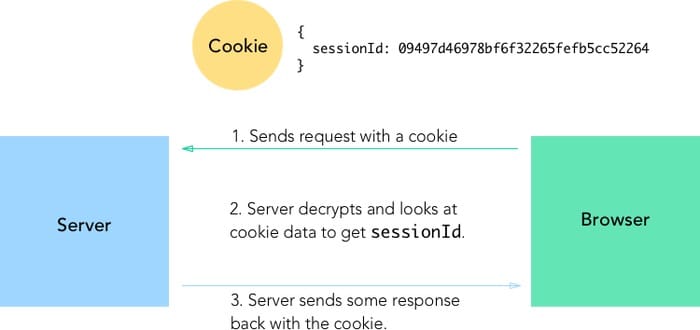
Install the session middleware
npm i express-session --saveEnable session configuration Configure as follows in
app.js; here is the complete file:
const express = require('express');
const app = express();
const conf = require('./config');
const routes = require('./routes/index');
const path = require('path');
const bodyParser = require('body-parser');
const isDeveloping = (process.env.NODE_ENV || 'development') == 'development';
const session = require("express-session");
app.enable('trust proxy'); // trust first proxy
app.use(bodyParser.json()); // for parsing application/json
const sessionConfig = {
    secret: "Shh, its a secret!",
    resave: false,
    saveUninitialized: true
};
if (!isDeveloping) {
    const RedisStore = require('connect-redis')(session);
    sessionConfig.store = new RedisStore(conf.redis);
}
app.use(session(sessionConfig));
// mount the router on the app
app.use('/', routes);
// serve static assets
app.use('/', express.static(path.join(__dirname, '/static')));

if (!isDeveloping) {
    app.use('/', express.static(path.join(__dirname, 'dist')));
    app.get('*', function (req, res) {
        res.sendFile(__dirname + '/dist/index.html');
    });
}

app.listen(conf.server.port, "127.0.0.1", function () {
        console.log(`campus-server app listening on port ${conf.server.port}!`);
    }
);
- Update the session on user login
router.post('/login', (req, res) => {
        const user = appUsers[req.body.email];
        if (user && user.password === req.body.password) {
            const userWithoutPassword = {...user};
            delete userWithoutPassword.password;
            req.session.user = userWithoutPassword;
            res.status(200).send({
                user: userWithoutPassword
            });
        } else {
            res.status(403).send({
                errorMessage: 'Permission denied!'
            });
        }
    }
);
- Log out and destroy the session
router.get('/logout', function (req, res) {
    req.session.destroy((err) => {
        if (err) {
            res.status(500).send('Could not log out.');
        } else {
            res.status(200).send({});
        }
    });
});
- Change the session storage backend
By default, sessions use
MemoryStore. When you deploy to production, you’ll see a warning like this:
Warning: connect.session() MemoryStore is not
designed for a production environment, as it will leak
In this example, I use Redis as the production-grade session store, so the server needs Redis installed: yum install -y redis.
At the same time, the backend needs the corresponding middleware: npm install connect-redis --save.
Looking back at the configuration above, this is why we only add the Redis configuration in production.

