TypeScript Version Always Shows 1.0

Why tsc --version reported 1.0.3.0 on Windows even after installing a newer TypeScript, and how removing the SDK path fixed it.

Sep 6, 2017 · 1 min read · 49 Words · -Views -Comments · Digital Life
TypeScript 🇨🇳 阅读中文版
Read with AI

Choose an AI assistant

ChatGPT Open in a new tab with the article link and prompt
Claude Copy the prompt, then open Claude

Open Claude
Trouble reading the article?

If the prompt is missing, copy the full prompt below into your AI assistant. If the AI cannot read the article, paste the visible passage you want to discuss and add your question.

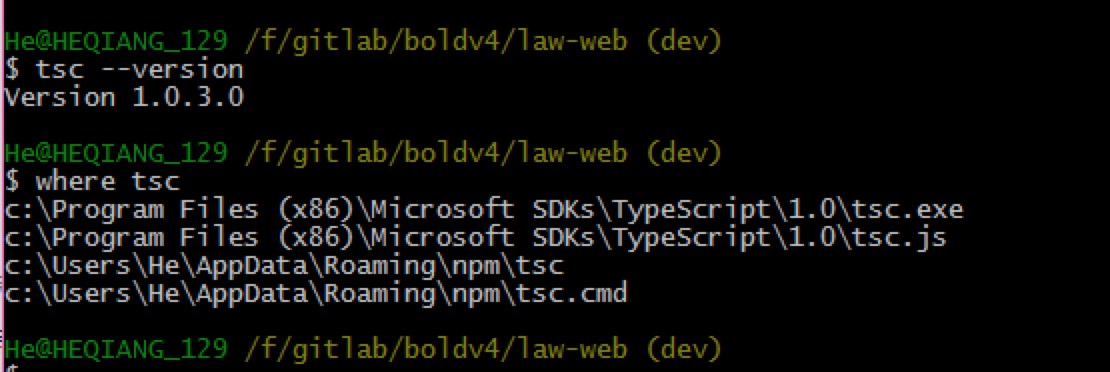
On Windows, tsc --version showed 1.0.3.0 even though I’d installed TypeScript 2.3.4. Running where tsc revealed the culprit.

Version Output

version screenshot

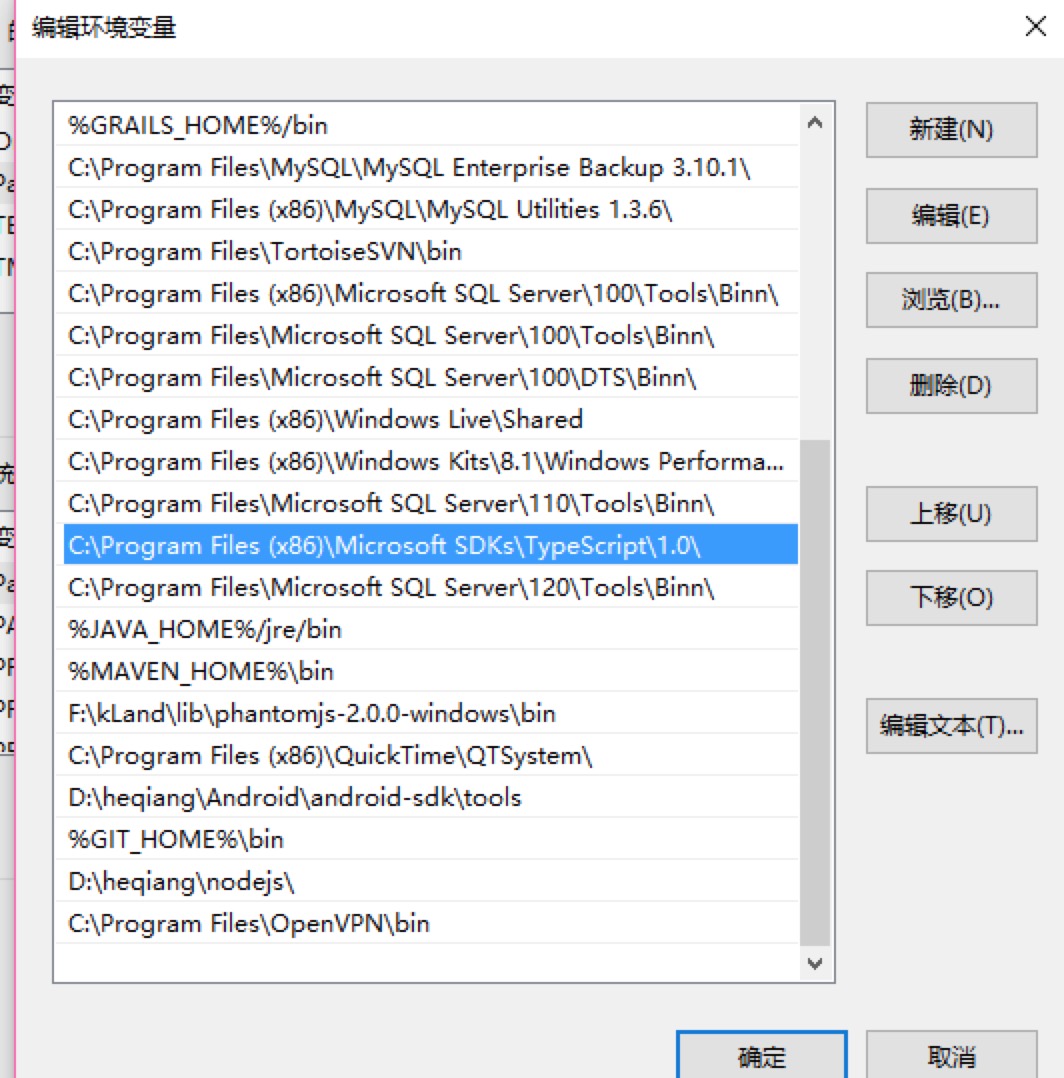
System PATH

path screenshot

The PATH pointed to C:\Program Files (x86)\Microsoft SDKs\TypeScript\1.0—the compiler bundled with Visual Studio.

Fix

Remove that path entry and rerun tsc --version:
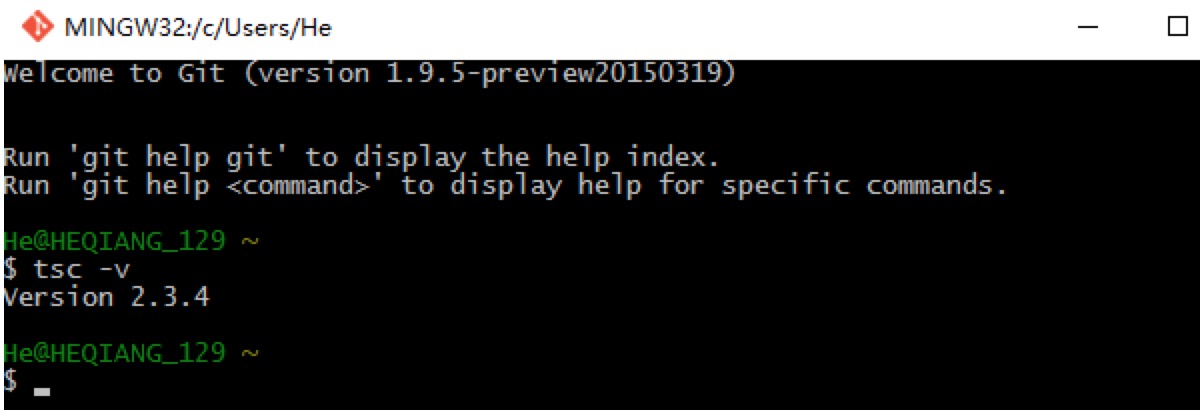
after removing

Now the correct version appears.

Authors
Developer, digital product enthusiast, tinkerer, sharer, open source lover