Xcode’s Simulator makes it convenient to test apps without a physical device. Along the way you’ll hit some common issues — here’s a quick summary.
Uninstalling Simulators
You can see downloaded simulator runtimes under Xcode Components.
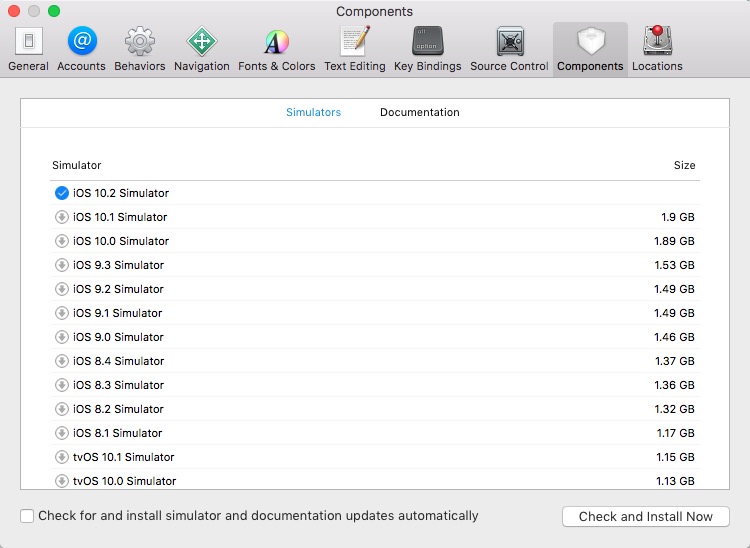
To delete a specific simulator runtime, go to /Library/Developer/CoreSimulator/Profiles/Runtimes and remove the target runtime.

Back in Xcode → Components, you’ll see the simulator listed as “not installed”.

Input Method Issues
When testing, you may find typing Chinese on macOS still shows as English in the Simulator. This is due to the iOS language settings in the simulated device.
Issues inside the Simulator are equivalent to a real device, so fix them the same way.
In my case, the Simulator didn’t have Chinese because the default language followed my Mac’s English locale. With English as the initial language, the Chinese keyboard isn’t present; you need to add it manually.
Settings → General → Keyboard


