I initially installed Node on macOS, and later discovered nvm. The Node versions managed by nvm coexist with the system-installed version, which can be messy. For example, I installed many global CLIs under a specific nvm version and set it as default, but sometimes a new terminal session still defaults to the system Node. Switching every time is a waste. The best approach is to remove the system Node and manage everything with nvm.
How to uninstall Node?
If your Node version is managed by nvm, uninstalling is easy: run nvm uninstall version. If you installed via Homebrew, run brew uninstall node.
If you installed the pkg from the official website, removal is more tedious. See below.
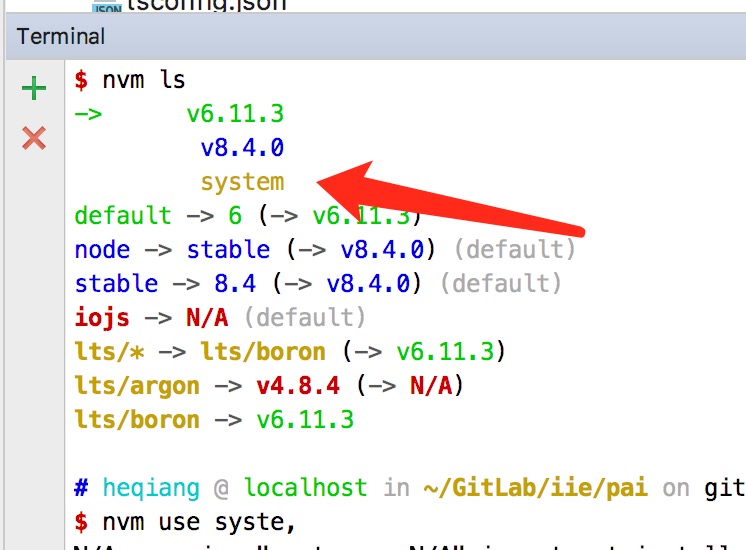
Note that in nvm ls, system is the Node installed on the system.
Manually uninstall Node installed via pkg
Remove Node files under /usr/local/lib
$ sudo rm -rf /usr/local/lib/node /usr/local/lib/node_modules /var/db/receipts/org.nodejs.*

$ cd /usr/local/lib
$ sudo rm -rf node*
Enter /usr/local/include and delete directories containing node and node_modules
cd /usr/local/include
sudo rm -rf node*
Go to your home folder, check local/lib/include folders, and delete items that include node or node_modules
Enter /usr/local/bin and delete the Node executables
cd /usr/local/bin
sudo rm -rf /usr/local/bin/npm
sudo rm -rf /usr/local/bin/node
ls -las # Carefully check, globally installed npm packages usually create symlinks in this directory; delete them if found
Other cleanup
sudo rm -rf /usr/local/share/man/man1/node.1
sudo rm -rf /usr/local/lib/dtrace/node.d
sudo rm -rf ~/.npm
Note: /usr/local/lib and /usr/local/bin contain many symlinks created by globally installed npm packages. Remove them carefully.
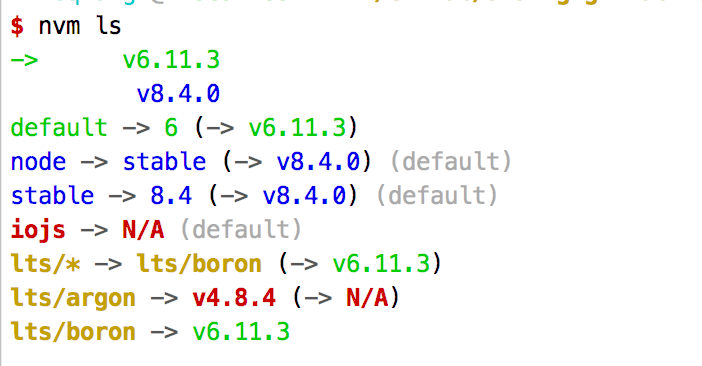
Once everything is done, check nvm ls and you should see that the system version is gone.
nvm command not found
After uninstalling as above, you might see this error.
Solution
Apply immediately: run source ~/.nvm/nvm.sh. This will not persist across new sessions or reboots, so it is recommended to add the line to ~/.bashrc or ~/.profile so it loads at startup.


