
Angular 6.0.0 has been officially released, exciting! Of course, this is already a month overdue, and many open source projects seem to be like this, such as Ionic v4, so, understandable. I’ve learned about v6 before, and it’s said that size, performance, and functionality have all been improved, so I quickly followed up and recorded it roughly here.
Upgrading the Project
For specific upgrades, it’s recommended to get the guide from the official website: https://update.angular.io/
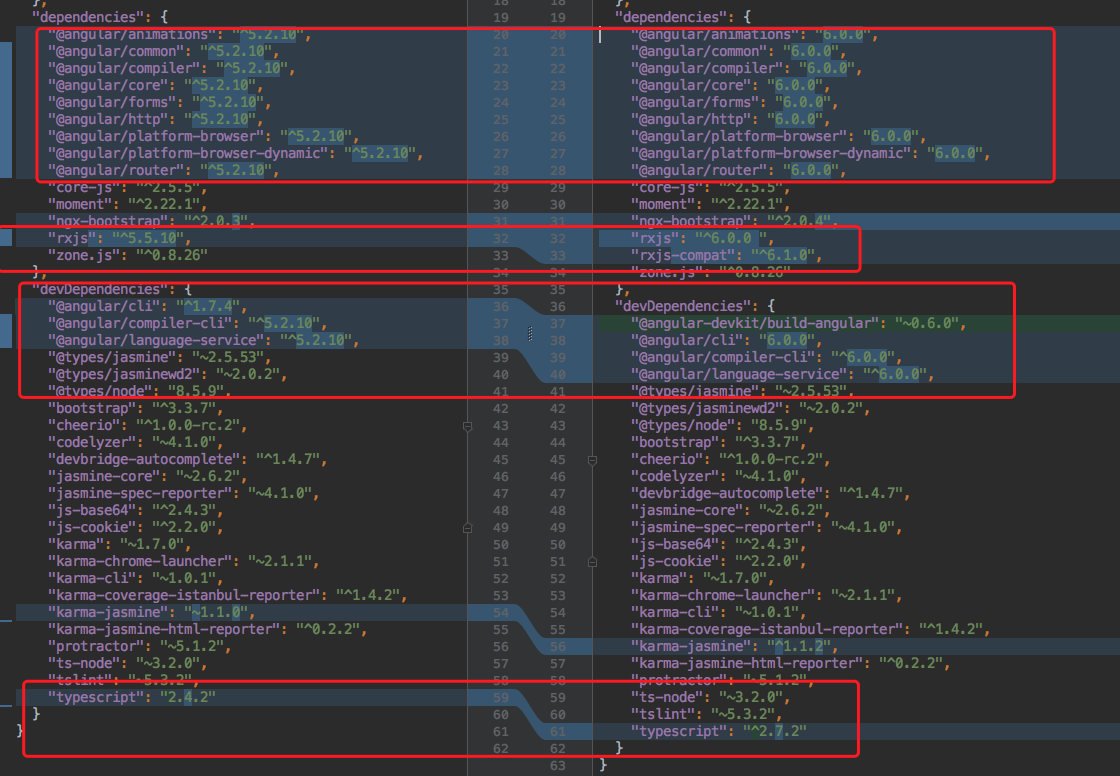
Below is a comparison of package version changes before and after upgrading my project:
Important Notes
The actual upgrade is not just changing a few package versions. Note that because RxJS 6 has significant changes and deprecated some operators, it’s easier to use the official upgrade tool for RxJS.
$ npm install -g rxjs-tslint
$ rxjs-5-to-6-migrate -p src/tsconfig.app.json
However, even after successfully executing the above, there are still some parts of the code that we need to manually modify ourselves, otherwise errors will occur, such as this operator modification here.
Property 'map' does not exist on type 'Observable<Response>'


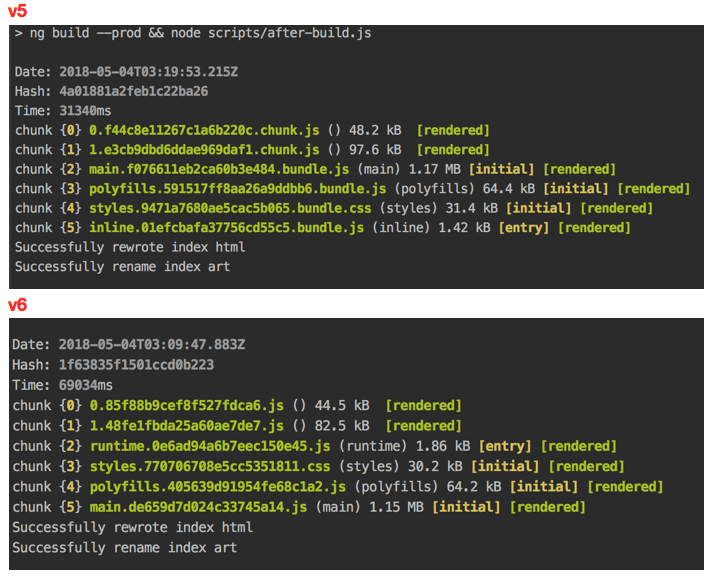
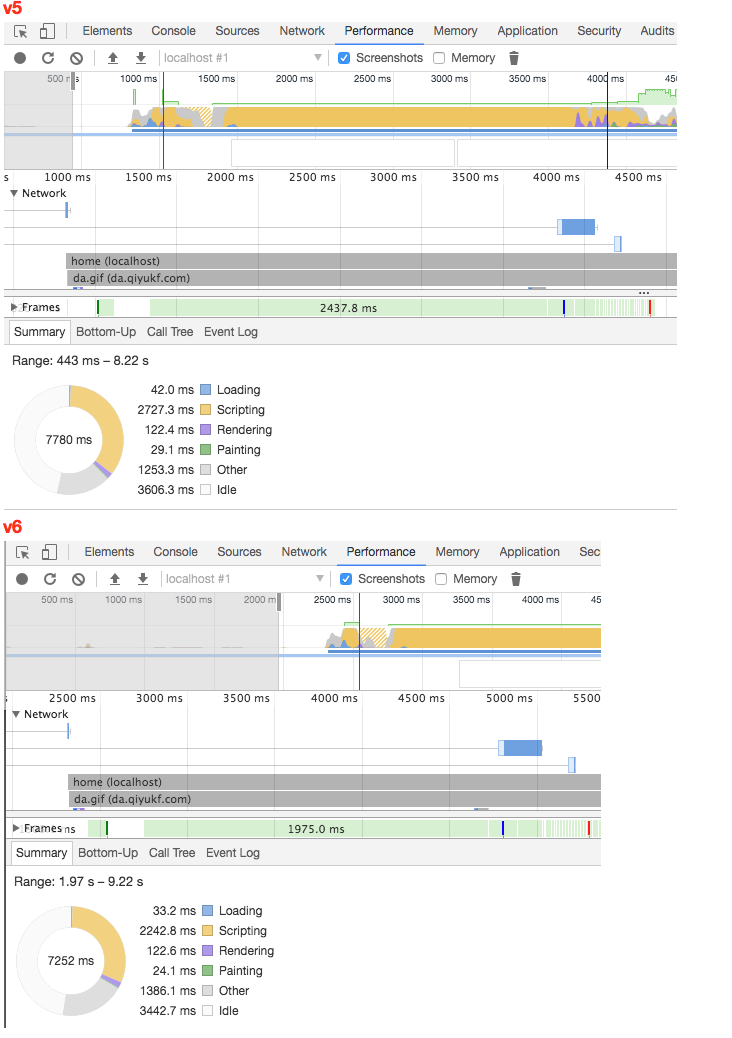
After the successful upgrade, I compared the build speed, bundle size, and web performance. The results are as follows:
Size and Build Speed
Performance
Final Thoughts
The comparison shows that the size is indeed smaller than before, but not by much - the size reduction is within 10%. Of course, different projects with different dependencies will vary. In terms of build speed, mine seems to have gotten slower… Performance-wise, you can see slight improvements in loading speed and script execution speed. Overall, none of these are very noticeable…
Of course, all of this is based on not having enabled ivy yet, which is not enabled by default. I’m looking forward to Angular and related third-party components developing for a while longer before tackling this. I recommend not playing with ivy now - it’s still early.

