React projects typically compile with Babel; Angular (non-AngularJS) projects rely on TSC. I used both casually for years and still stepped into pits—
Object.assign,Promise, lookbehind regex, etc. Time to understand them properly.
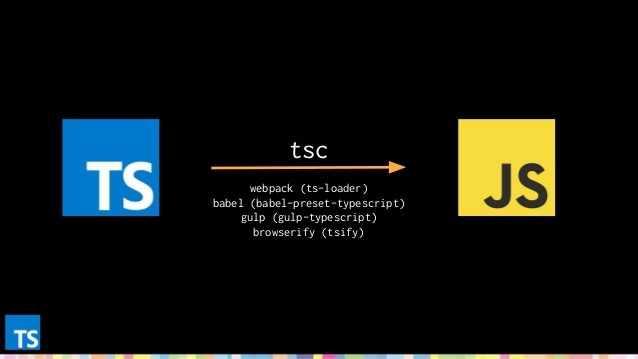
What compilers transform
Definitions
- Babel is a JavaScript compiler. Use next generation JavaScript, today.
- TypeScript is a superset of JavaScript that compiles to clean JavaScript output.
Straight from their docs. Compilers take what we write and output target code. Crucially, they only compile syntax—they do not polyfill new APIs such as Promise, Symbol, or global methods like Object.assign. They can’t conjure what isn’t there.
React + Babel
When the browser lacks those APIs, ship polyfills.
babel-polyfill
- Install babel-polyfill:
npm i babel-polyfill --save-dev - In webpack, prepend it to the entry:Simple, but increases bundle size because it loads everything.
module.exports = {
  entry: ["babel-polyfill", "./app/js"]
};
babel-runtime
- Install the runtime plugin and
core-js:npm i babel-plugin-transform-runtime --save-dev npm i core-js --save-dev - Update Babel config:Now only the constructs you use (e.g.,
query: { plugins: [ "transform-runtime" ], presets: ['es2015', 'stage-0'] }Promise) are bundled, keeping size down at the cost of slightly slower builds.
On-demand polyfills
If your audience spans multiple browsers and versions, preloading everything wastes bandwidth for modern browsers. In one Angular + Express project I served polyfills conditionally based on user agent (screenshot in the original post).
Angular with TSC
Similar ideas apply—import core-js in polyfills.ts or load them conditionally.
Why compilers help
With compilers we can adopt modern language features without waiting for browser support, boosting productivity and maintainability. Remember, ES evolves annually now.
Final Thoughts
We often chase trendy tech like TypeScript or React and treat Babel/TSC as transparent build steps. But without the compilers, the fancy syntax wouldn’t run anywhere. Understand them and you’ll avoid many headaches.

