I’m still on a first-gen Switch. I wanted an easy way to export game screenshots, so I tried a couple of approaches.
Options:
- Copy files from the microSD card.
- Share to Twitter and use IFTTT to sync shots to the iOS Photos app automatically.
Method 1 requires ejecting the card, connecting it to a computer, dragging files—tedious and “anti-engineer.” I prefer method 2.
Solve the Network Constraints First
The Switch needs working access to Twitter. Two approaches:
- Configure proxy/network on the Switch itself.
- Provide the necessary network environment at home (router/gateway).
I chose option 2.
Use IFTTT
IFTTT automates the Twitter → Photos workflow.
- Create an IFTTT account.
- Configure an applet (Twitter trigger → Photos action).
- Install the IFTTT app on iPhone (available in the Chinese App Store).
- Link the Switch to your Twitter account.
- Post a tweet; check Photos and the shot should appear.
Applet configuration example: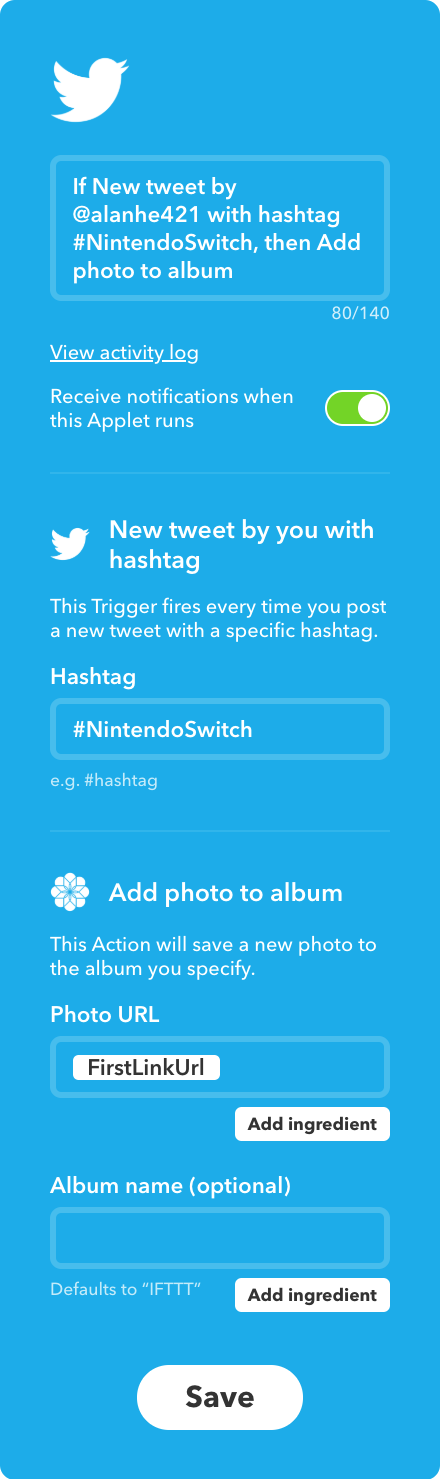
IFTTT activity log: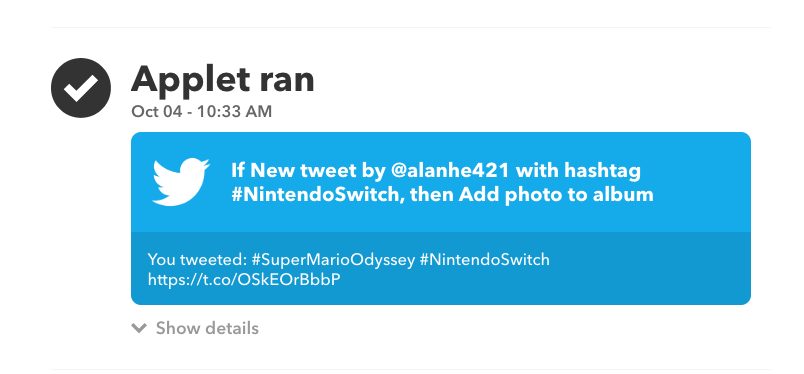
Common Questions
- Update the linked Twitter account here: https://ifttt.com/twitter/settings
Final Thoughts
Now all I do is tweet from the Switch; the screenshot lands in Photos automatically. Even the long-idle Echo Dot has a job again.


