- Scope
- IIFE (Immediately Invoked Function Expression)
- MVC
- Async/Await
- Closure
- Callback
Scope
Scope is a box with boundaries. There are two types of boundaries in JS: local and global, also known as internal and external.
Local means you have permission to access within this block, while global means accessible everywhere.
When we talk about classes, functions, and methods, they all involve this. We use scope to determine what is accessible (visibility) in the current context.
Key points
- Logical separation
- Reduced focus
- Improved readability
Example
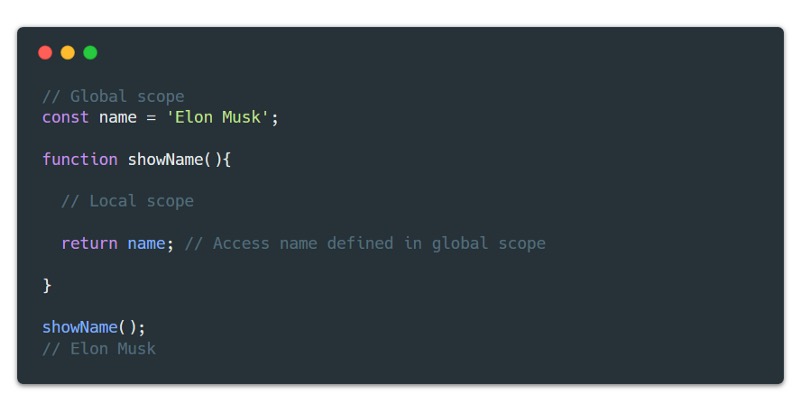
Suppose we create a function and want to access variables in the global scope
ES5
ES6
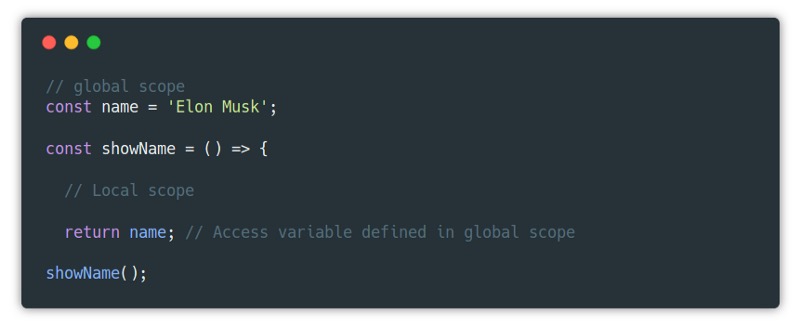
As shown in the example above, the function showName() has access to both local and global variables. But note that the global scope does not have permission to access locally defined variables unless there’s a return value.
IIFE (Immediately Invoked Function Expression)
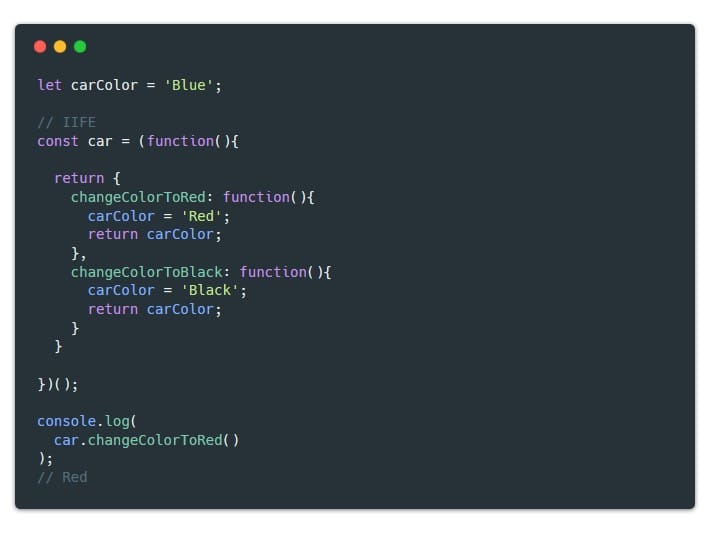
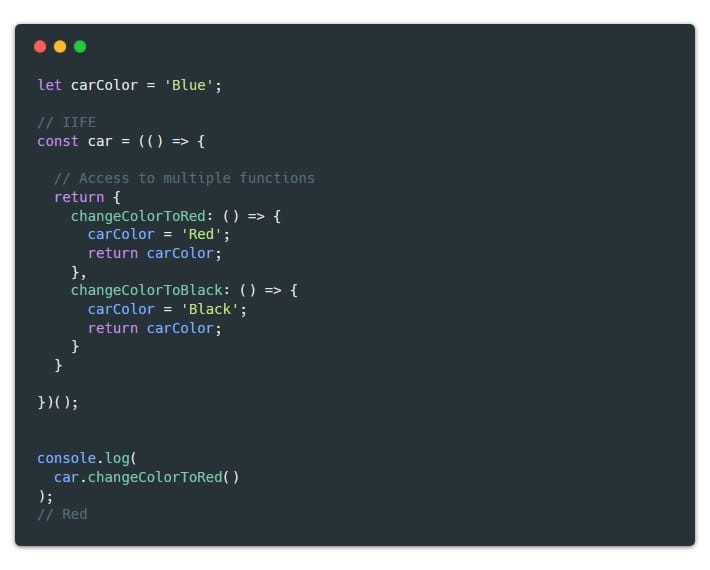
IIFE (Immediately Invoked Function Expression), as its name suggests, is triggered immediately upon creation. Before ES6, people typically wrapped IIFE into a class name and then triggered it in a return statement.
Key points
- Executes immediately
- Avoids global scope pollution
- Supports asynchronous structures
- Improves readability (some voices object)
Example
ES5
ES6
MVC
Model-view-controller is a design pattern, not a programming language. Nowadays, almost 85% of web applications follow this pattern. There are other design patterns, but this one is more fundamental and easier to understand.
Key points
- Scalability and maintainability
- Easy to improve, update, and debug
- Simple to get started
- Provides structure and overview
Example
ES5
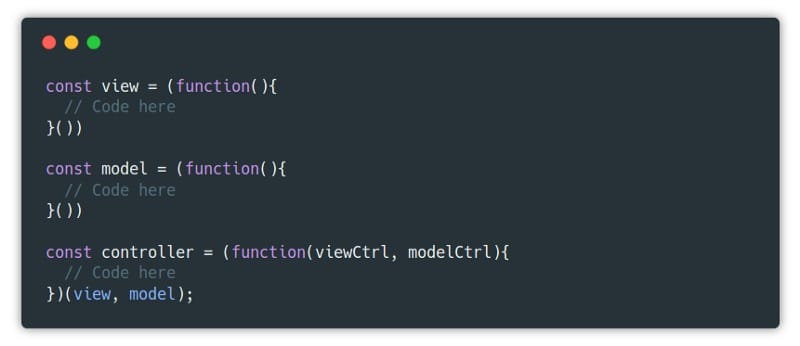
ES6
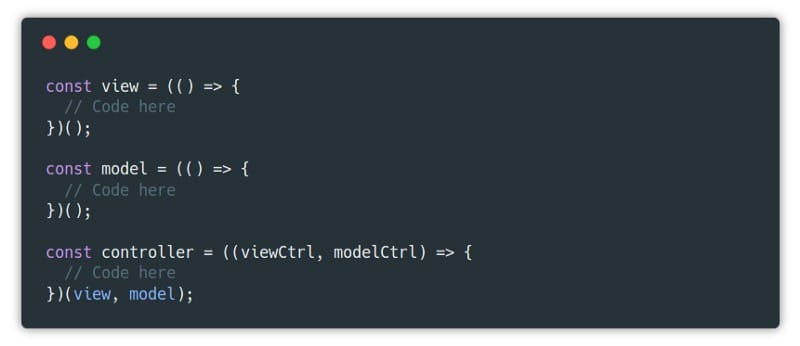
It should be noted that the usual best practice is to split View, Model, and Controller into different folders and files. For better illustration, they are not split here. The purpose of design patterns is to simplify the development process and build a collaborative development environment that is easy to maintain.
Async/await
Stop until a certain action is completed. This technique provides a way to maintain asynchronous processing. For example, before allowing a user to log into the system, you need to check if the user’s password is correct (compare with information stored on the server). Or you’ve provided a REST API request, and before entering the view, you want to wait for the data to load completely.
Key points
- Asynchronous capability
- Behavior control
- Reduces “callback hell”
Example
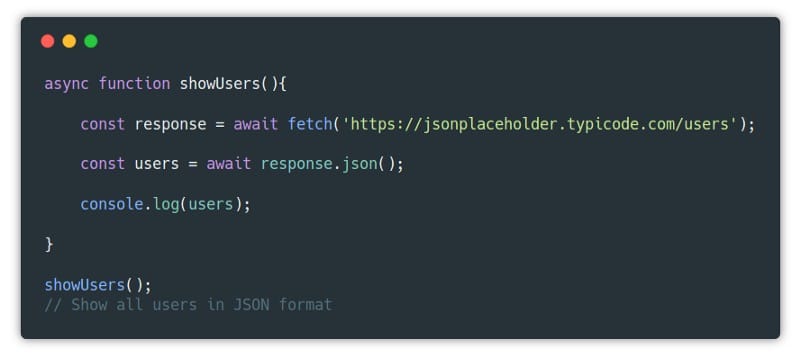
Suppose we request a REST API to get all users and display the results in JSON format
ES5
ES6
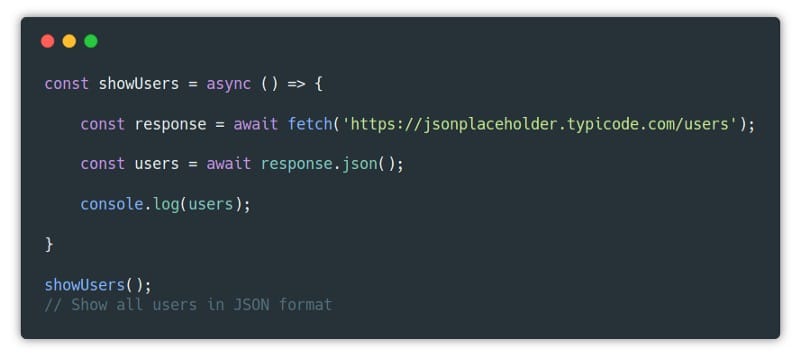
To use await, we must include it in an async function, thereby telling JS that we are using promises. In the above example, we are waiting for two results: response and users. Before converting response to JSON format, we need to make sure we have the response, otherwise we cannot convert it, which would be an error.
Closures
Simply put, closures are functions within functions. Closures are useful when you want to pass variables, methods, or arrays from an outer function to an inner function. Or when an inner function can access the context of an outer function (but not vice versa), closures are also useful.
Key points
- Extends behavior
- Useful when handling events
Example
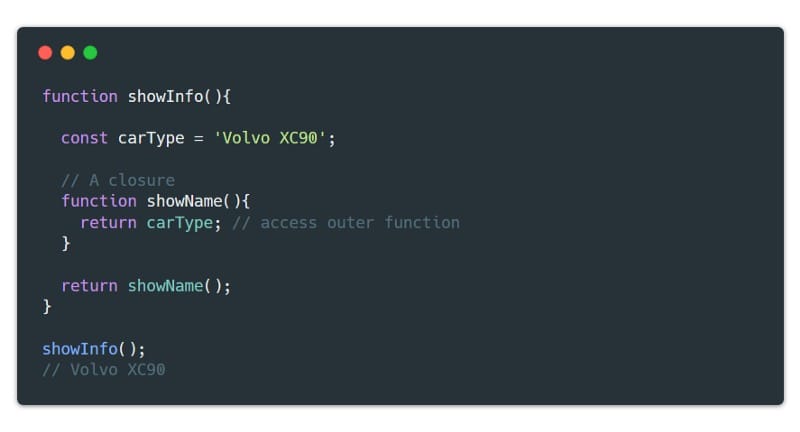
Suppose we are now a development engineer at Volvo and need a function that can print the car name.
ES5
ES6
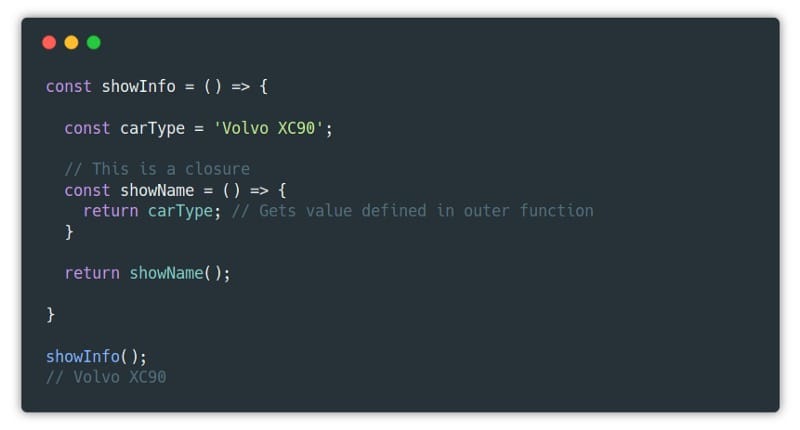
showName is a closure because it extends the behavior of the showInfo function and also has permission to access the carType variable.
Callbacks
A callback function is a function that executes after another function completes. In the JS world, if a function is waiting for another function to execute or return a value, then that function is called a callback function. Callback functions are a way to handle asynchronous operations.
Key points
- Waiting for event execution
- Provides asynchronous capability
- A means of handling chained functions
- You may have heard of callback hell, which means you’ll see an iterative callback structure (a callback within a callback, and so on)
Example
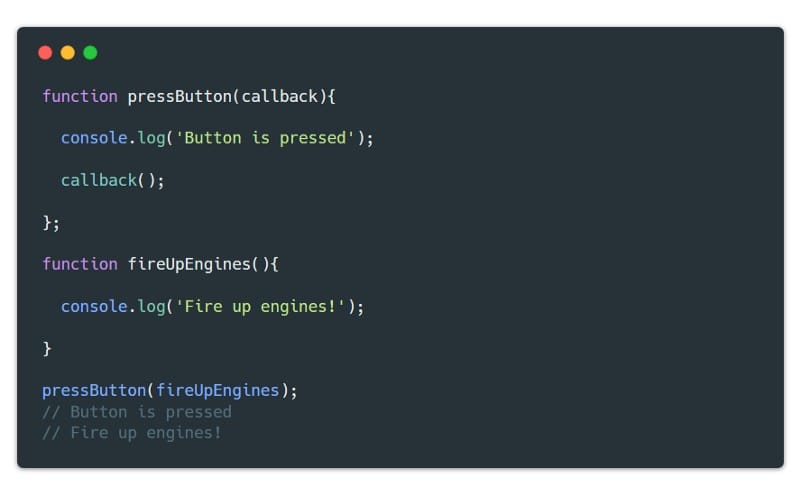
Suppose Musk needs a feature that triggers a rocket launch when a button is clicked
ES5
ES6
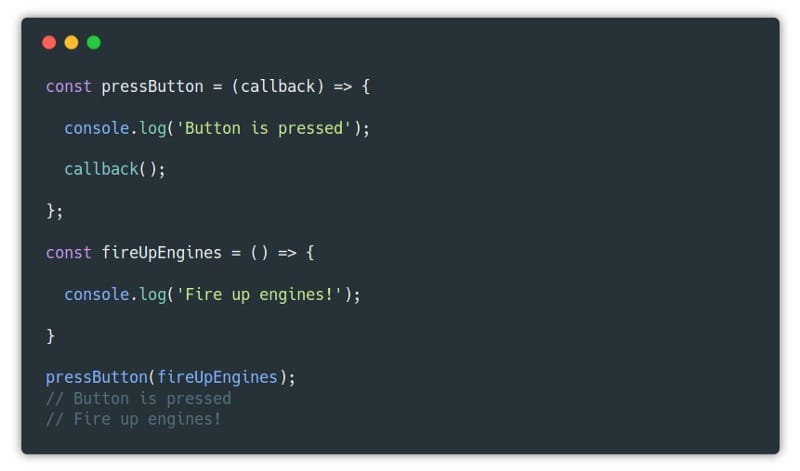
Note that we’re waiting for an event to occur before triggering an action to execute. We pass the fireUpEngines() function as a parameter to the pressButton() function, and when the user clicks the button, it triggers the rocket launch.
That’s it. Some basic concepts of JS are explained here through examples.
Final Thoughts
This article is very basic, but very key, so take it seriously. Any language, technology, or discipline develops from basic principles and concepts. The JS standard ES has expanded a lot from version 1 to versions 7 and 8 now. But basic concepts don’t develop and expand that quickly. For example, scope, closures, asynchrony, and cross-domain - it was like this 10 years ago, and isn’t it still the same today? So understanding the above concepts is beneficial for learning JS. Let’s encourage each other!