Previously, I always used merge when pulling code, and when encountering conflicts, I would resolve them directly. This approach worked fine. But recently, I joined a project where the team size and code submission frequency are both high, leading to frequent conflicts when pulling code. Using merge results in multiple lines in the log graph with back-and-forth merging situations, which becomes very messy.
To address this situation, the team advocates using rebase to pull code. But what are the advantages? I’ve researched some materials and organized them here.
Creating Branches
Git’s branching capability allows us to develop many features in parallel without interfering with each other. After completion, we use MR (Merge Request) to merge into the main branch, such as dev or master.
Merging Branches
We develop using the branching model and then want to incorporate the developed feature code into the main branch. This method is called merging, which in GitLab is called MR.
To elaborate: Git is distributed, so for example, the upstream server we submit to has multiple branches, and each of our development machines also has multiple branches. Branch merging doesn’t just refer to merging A and B on origin; actually, when we submit our local branch to the corresponding upstream branch, it’s also a branch merge.
Handling Branch Conflicts
Conflicts arise when code modifications occur in the same location. At this point, Git doesn’t know which version to choose, so it requires you to operate, such as accepting theirs, yours, or manually combining both.
Handling Conflicts with Merge
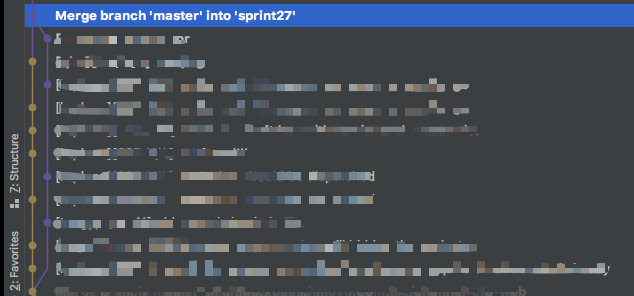
When merging branches using the merge method, it doesn’t preserve the commits from the merged branch. For example, in the diagram below, brown represents sprint27 and purple represents master. When merged, it only counts as one merge commit.
Handling Conflicts with Rebase
When merging branches using the rebase method, it incorporates all commits from the merged branch into the target branch line and doesn’t create new commits.
Assuming before merging it looks like this:
After merge:
After rebase:
After getting used to frequently pulling code with rebase, the project’s timeline now basically becomes a straight line. It’s simple and clear who submitted what each time.

Final Thoughts
- The more I work with Git, the more I find it simple, powerful, and flexible. My understanding of it continues to strengthen through practice. Someone at our company once said that making something complex appear simple to use is difficult, and I think Git is exactly that.
- Regarding rebase vs merge operations, after discussing with several friends and considering team situations, I believe the following
best practicesare optimal:- When fetching remote project code, use
git pull --rebase - When merging branches, use
git merge --no-ffto create a merge commit
- When fetching remote project code, use

