Recently, even with SS running on my phone, I couldn’t add a Gmail account to the native Mail app. It would log in successfully but fail to save, and there was no save button. After searching, I found many people reporting this issue. It turns out it’s a censorship problem. OK, I give up.
The posts mentioned several methods, which seemed troublesome. Some people said Surge could fix it. I preferred this solution because I’ve been using the Mac version and think it’s very powerful. So I decided to use this to solve the Gmail account issue on my phone. Then the problem came—I needed to buy the iOS version of Surge. But it’s not available in the Chinese App Store. First, I needed a US Apple ID, a US PayPal account, and a dual-currency card. Easy? Not really. But for freedom.
OK, let’s start solving it. Here’s my process.
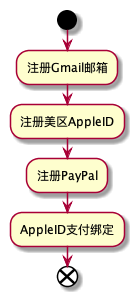
Update
US PayPal now has strict verification, and fake US information won’t work. Therefore, using a US PayPal account with Apple ID is no longer feasible.
Prerequisites
- A healthy network connection that can access Google, as all services below are outside the Great Firewall. For how to access outside the firewall, you can learn about *** services.
- A dual-currency card, as many foreign services require Visa, and most services still don’t support Alipay.
Register a Gmail Account
Oh, I found that if you register with a US IP, you need a US phone number, which is troublesome. So I chose Hong Kong node authentication. Registration in Hong Kong allows using a mainland Chinese phone number, so registration was successful.
Register a US Apple ID
Note: Switch to a US node to access. When you reach the payment section, pay attention to the “None” option—don’t change it. For the address information below, refer to: https://www.fakeaddressgenerator.com/Random_Address/US_Delaware
After successful registration, log in on your phone without any issues.
Tax Exemption
Note: Choose a tax-exempt state address, otherwise there will be tax when paying for app subscriptions
Address example: Anchorage, AK ?
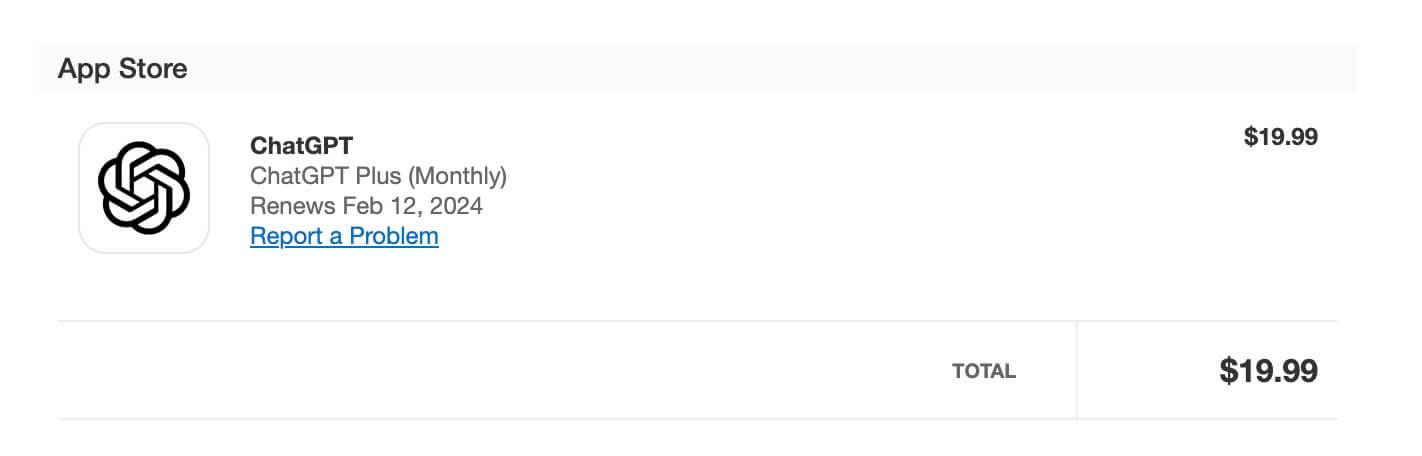
Bind US Card for Payment
- In addition to gift card recharge, another method is to bind a US card. I recommend using services like NobePay to apply for a virtual US card. After opening the card, go to the App Store on your phone, click your account, click “View Apple ID”, click “Payment”, select “Add Payment Method”, and choose “MasterCard”.
- US PayPal is not recommended because it involves binding US identity information.
After binding payment, it will be more convenient to solve paid app subscriptions/purchases.
Final Thoughts
Some people may ask, is it worth the trouble? For me, it is. Because with a US Apple ID, I can download more apps. You only have access to apps in the Chinese App Store, while I have access to global apps. Because I can download Surge, so I can use Twitter and Facebook, right?
Solving this problem:
- Led to NobePay, a solution for foreign US cards
- Led to dual-currency cards, solving overseas Visa payment issues
- Led to freedom of internet access, solving content restriction issues
Therefore, sometimes we need to bravely solve these small problems. Solving these problems will bring significant benefits, which are lasting and wide-ranging, so it’s worth it.


