The title says it all, but the details matter. TSLint enforces code style—it doesn’t guarantee your TypeScript compiles. Let’s walk through an example.
What TSLint Reports
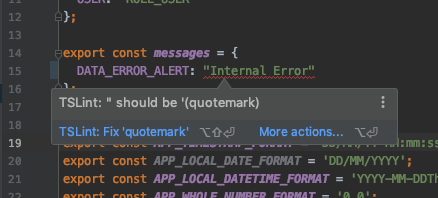
Lint errors include the violated rule. Many editors auto-fix simple issues (like quote style), so the commit diff might be empty.
Type Errors Slip Through
Consider:
interface IStudent {
  name: string;
  sex: 'male' | 'female';
  age: number;
}
Instantiating IStudent with only one property produces a TypeScript error in the editor, but git commit still succeeds because TSLint is fine with it.
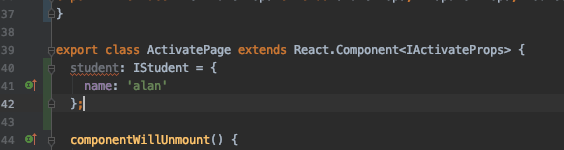

CI would fail later. To prevent that, run tsc before you commit.
Add tsc to Git Hooks
Example Husky config:
{
  "hooks": {
    "pre-commit": "tsc --noEmit && lint-staged",
    "pre-push": "yarn run test"
  }
}
Now the commit fails until the type error is fixed.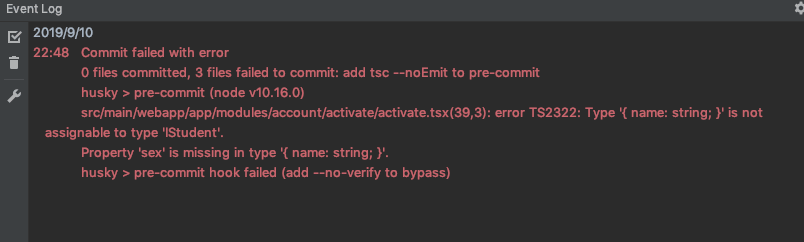
Note: --noEmit prevents output files. This slows commits slightly but catches type regressions early—a worthwhile trade-off.
Final Thoughts
Frequent refactors introduce type mistakes. Without tsc in the pipeline, you’ll ship broken builds. Adding it to your hooks keeps upstream code healthier.

