Recently, when upgrading a frontend package, I encountered the following error. After analysis, I finally fixed it. Here’s my note on this issue.
Root Cause
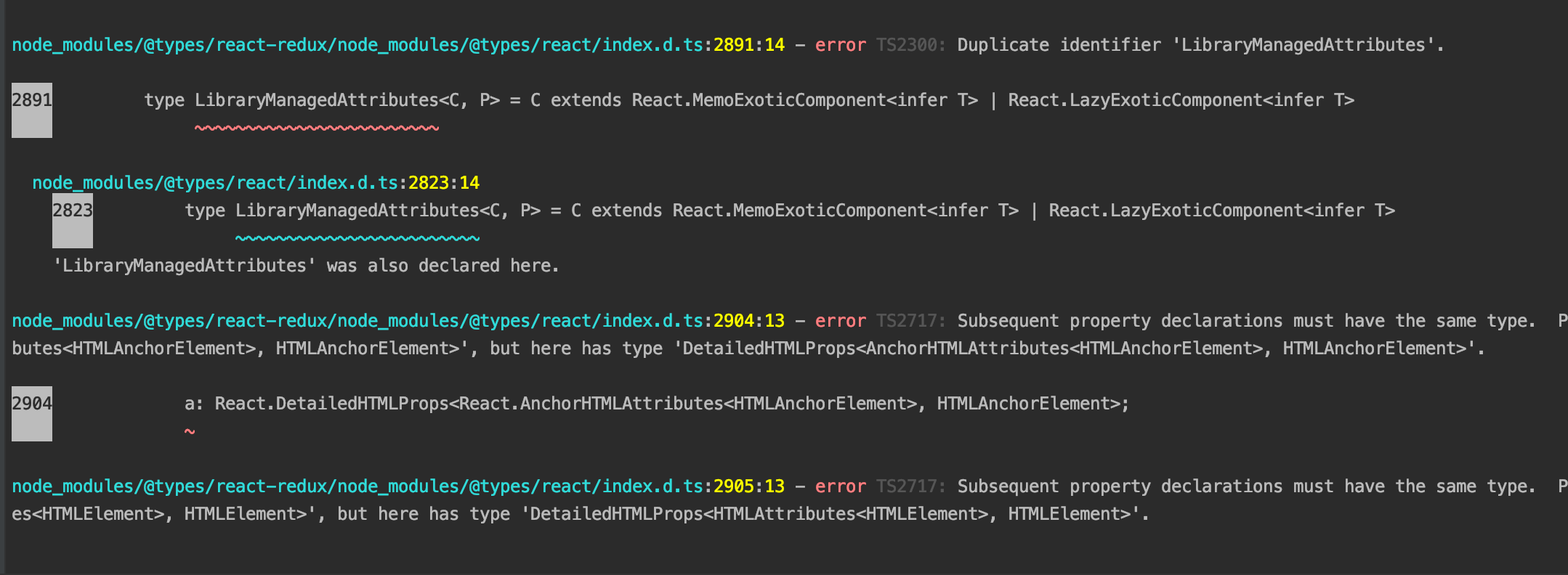
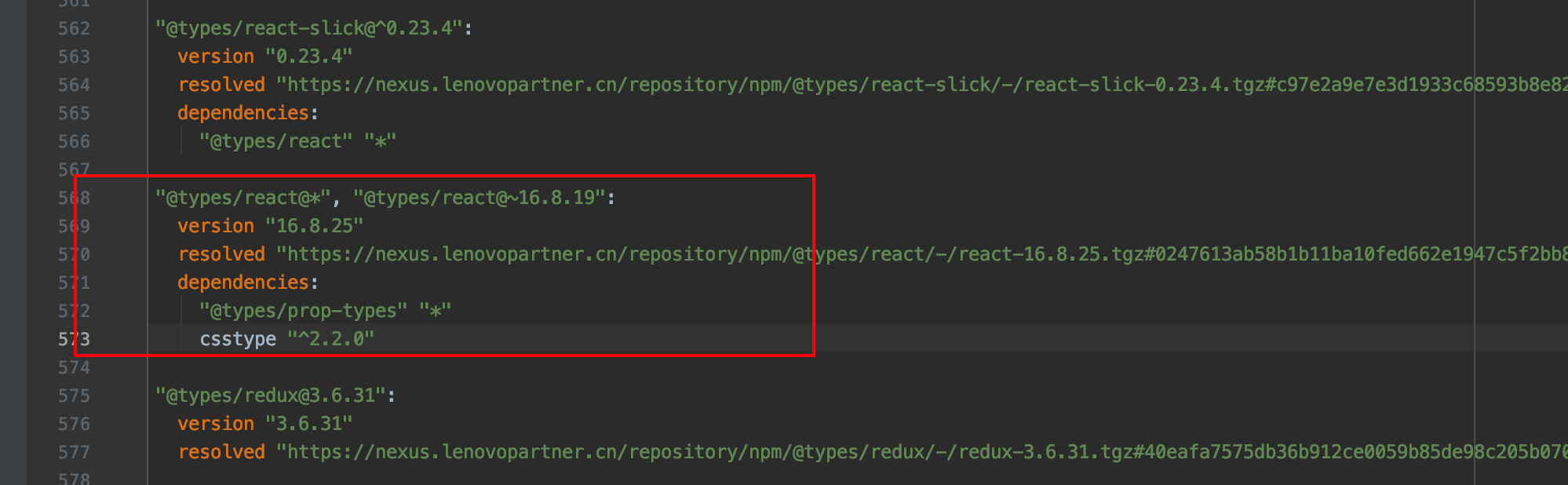
Looking at the specific error message, there are two versions of React type definitions existing simultaneously.
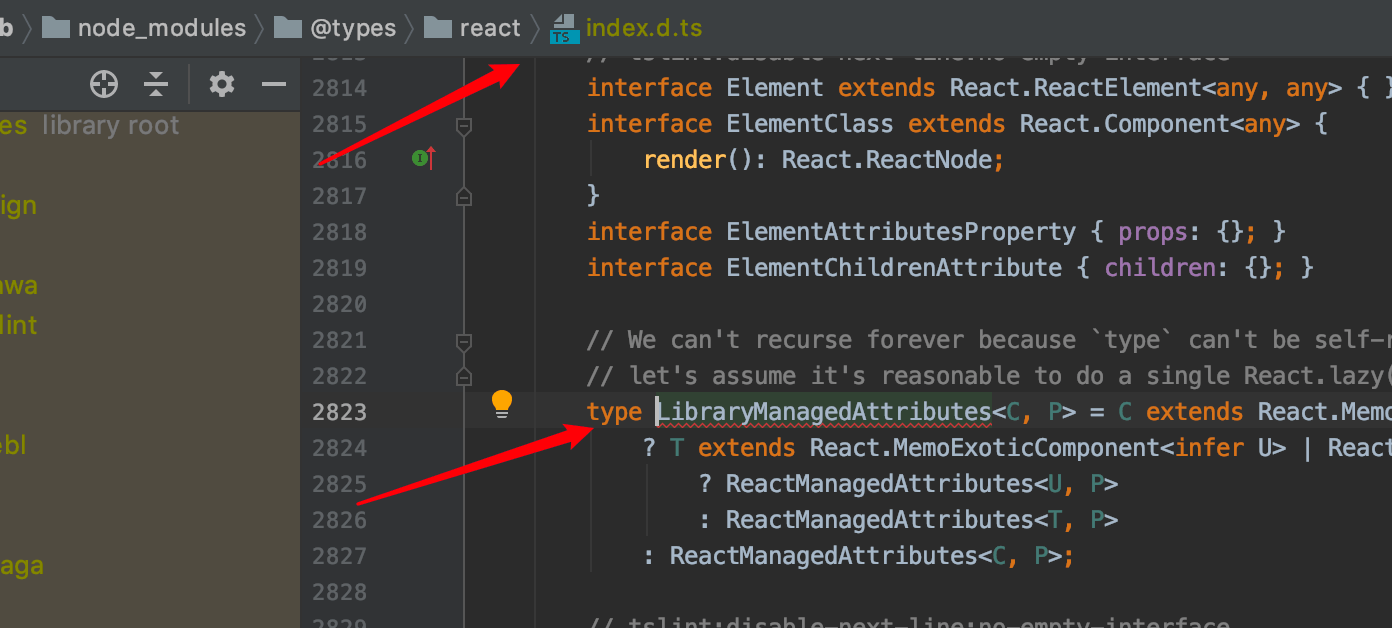
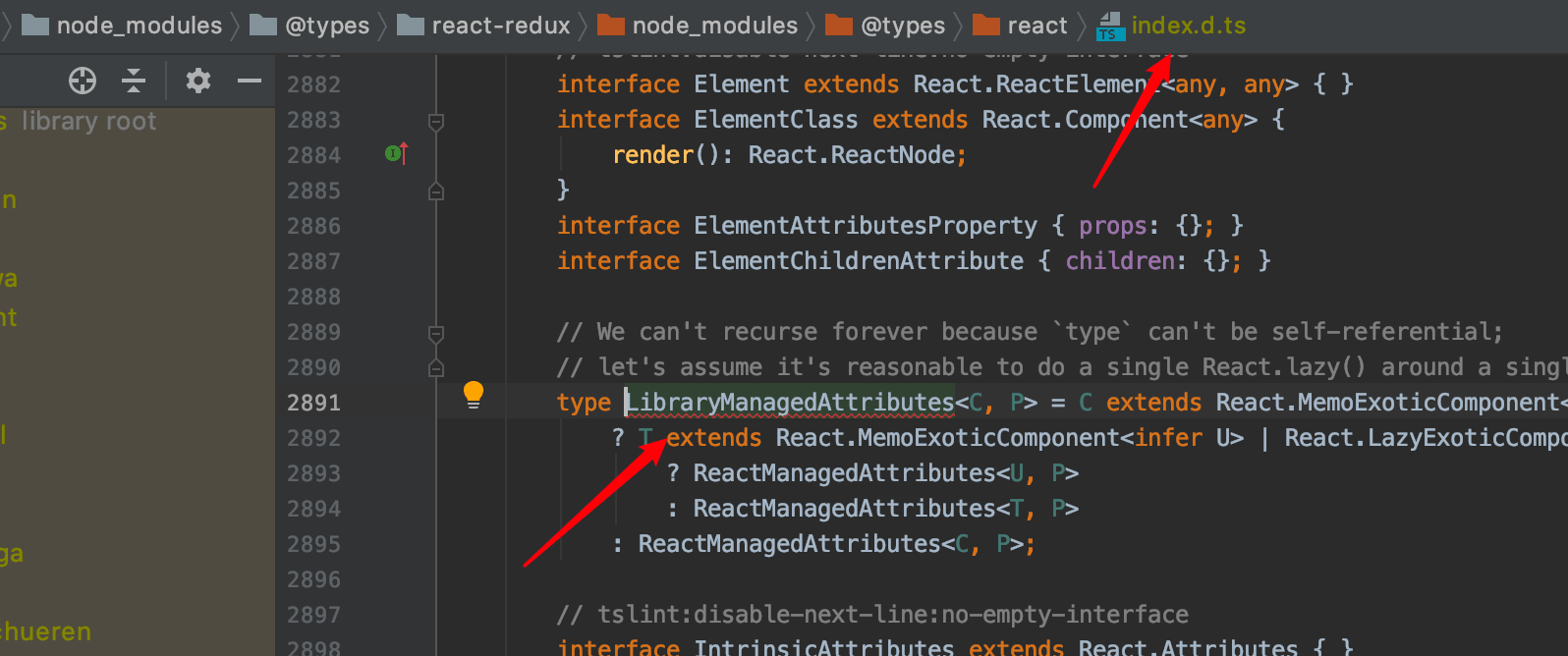
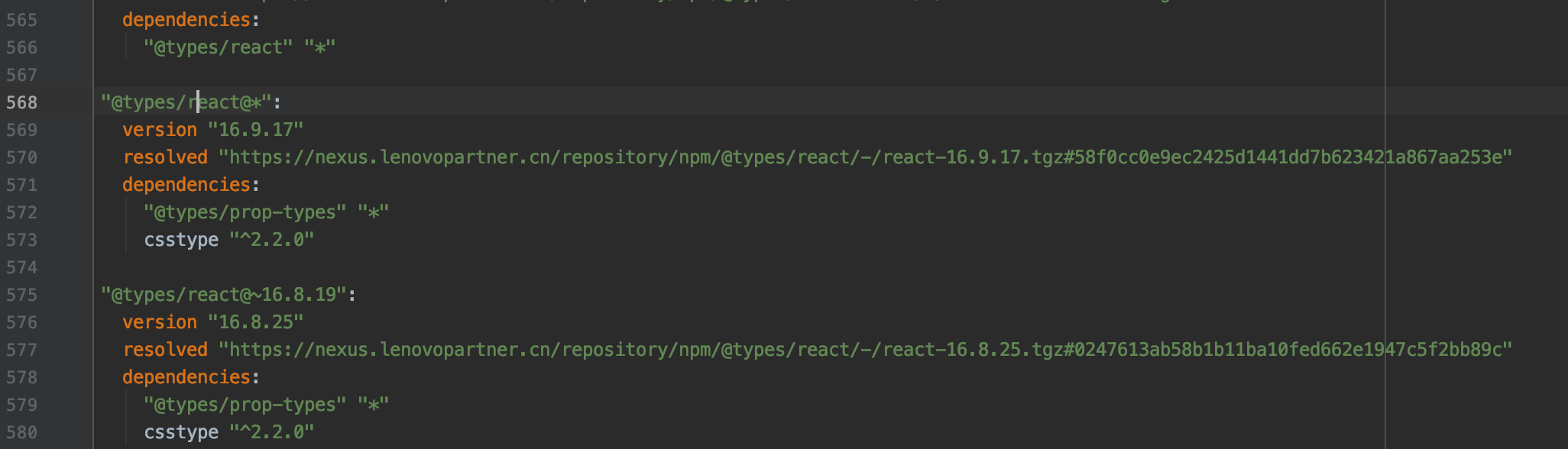
@types/react versions in yarn.lock - note there are two
Solutions
TSC Configuration skipLibCheck Wrong Approach
If you add the skipLibCheck configuration to tsconfig.json and recompile with TSC, it actually works, but this approach is not recommended because you’re giving up some type safety. So don’t do this, even though it’s possible.
Package.json Current Approach
Add the following configuration:
"resolutions": {
    "@types/react": "~16.8.19"
  }
Re-run the yarn command, and you’ll find that the lock file now only has one version.
Other Methods
Besides the above solution, we can manually or use tools to remove duplicate package issues, though the lock file will inevitably need modification.

