Tools need refinement and periodic upgrades. As the Lunar New Year approached, I reviewed the tools I bought and adjusted in 2019 (both hardware and software), the current capabilities, and the improvements achieved through tweaks.
While taking notes, I hope it helps fellow enthusiasts a bit.
HomePod
I bought HomePod in April. The direct impulse came from Apple’s ad Welcome Home. No surprise, Apple’s ads always make you feel it’s amazing. The old AirPods ad with the dancer was the same.

Features
- Voice-activated alarms
- Move your iPhone near the HomePod and it shows
transfering to homepod, then the audio automatically switches to HomePod. The experience is very cool.
Current drawbacks
- I say “current” because Apple could fix this via software updates. So let’s wait.
- The Apple Music catalog is still incomplete, and HomePod is limited to Apple Music. This hurts the experience.
iPad mini 5
Bought in July for 3648 CNY. I use it for reading, watching shows, and gaming. Great performance and portability. If you are considering an iPad, I strongly recommend the cellular version, because using a phone hotspot is inconvenient, in my opinion.

Features
- Reading
Bose 700
Bought in August. I use it during workdays and it blocks some office noise and distractions.

Features
- Multi-level noise cancellation
- Multi-device connection, up to two devices
- Winter ear protection: in cold weather, it is much better than AirPods, based on my own test
MacBook Pro 16
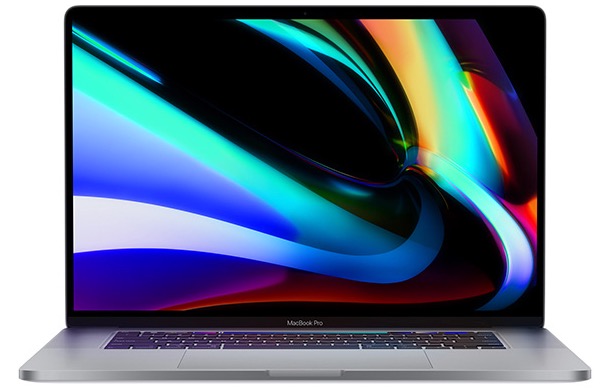
Bought in mid-December. Price 20,619 CNY, configuration 32G RAM + 512 SSD. The 16-inch narrow-bezel display is amazing. After purchase, it became my main production tool. Daily development is smooth.
Features
- Development powerhouse
- Great for music and movies
Current drawbacks
- Weight: if it could be lighter that would be better. At 2 kg bare, it is still heavy. Long backpack carry causes obvious soreness.
- Intermittent stutters: the performance is strong, but it still feels like it is not at full potential.
DataGrip
Among work-related software, DataGrip was the most successful improvement this year. The payoff is much higher efficiency for DB operations. See my thoughts here.
O’Reilly
On the learning side, a successful tool this year was the O’Reilly Safari Online service. With the client app, I learned many technologies, and after a year of English reading, the language barrier seems smaller.
Features
- O’Reilly App works across Web, iPhone, iPad
- The library is comprehensive, at least for tech
- I once emailed them about an app crash, and they responded actively
Purchase tip
I recommend using ACM membership to access Safari Online. It is only $75, and if you provide an address in a developing country, it can be reduced to $15. Personally tested. https://www.acm.org/membership/membership-benefits
Direct O’Reilly subscriptions are expensive, so I recommend the option above. My company provides access, so I have not used this plan, but I suggest giving it a try.
Final Thoughts
- Tools exist to solve problems and improve efficiency and life, so they are worth investing in.
- Tools are great, but too many can be a burden. Do not chase tools for the sake of tools. The best tool is the one that fits your hand.


