Recently I’ve been working on practice problems and found that many WeChat public accounts use images to post questions to protect intellectual property. This means I have to manually type everything from scratch during testing, which wastes a lot of time. So I considered creating a screenshot text recognition tool to save time.
OCR Service - Baidu
There are quite a few OCR service providers: Google, Tencent, Baidu, etc. I chose Baidu because their SDK supports Node.js while Tencent doesn’t, and Google is behind the firewall so reliability is weaker.
I personally don’t like Baidu, but since OCR service has limited free usage, might as well use it.
Workflow Implementation
The principle is to get images from system clipboard, make API requests to Baidu OCR service, and return text display. Check configuration after installation for details.
Download link: Click here
How to Install
Workflow File
Double-click the workflow file to install. But some environment configuration is still needed.
System Environment
If Node.js isn’t installed, install it first:
curl -o- https://raw.githubusercontent.com/nvm-sh/nvm/v0.35.3/install.sh | bash

nvm install 12
brew install pngpaste
npm install baidu-aip-sdk -g
Workflow Configuration
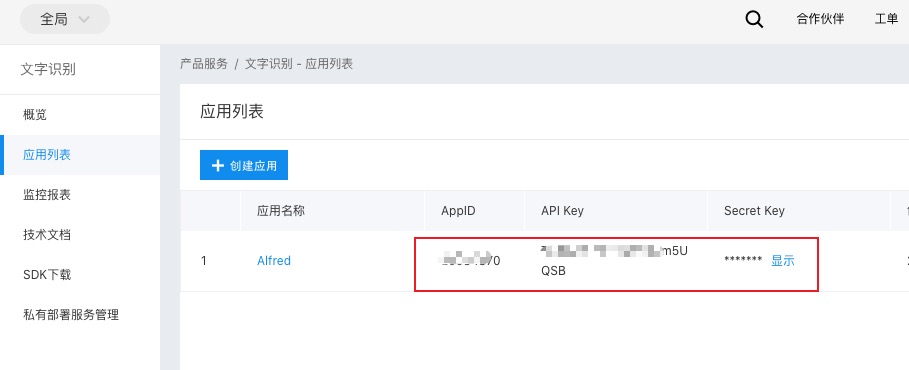
Log in to Baidu Intelligent Cloud, select Text Recognition, create application, and configure the three highlighted values in the workflow
Current Effect