Without Google access, unable to properly visit GitHub, or browse YouTube, information access becomes very limited. As a programmer, this is even more serious. So on the path of how to access the internet freely, I’ve always needed to explore, especially as restrictions become stricter. But solutions always outnumber problems, and these can be overcome one by one.
My Current Solution
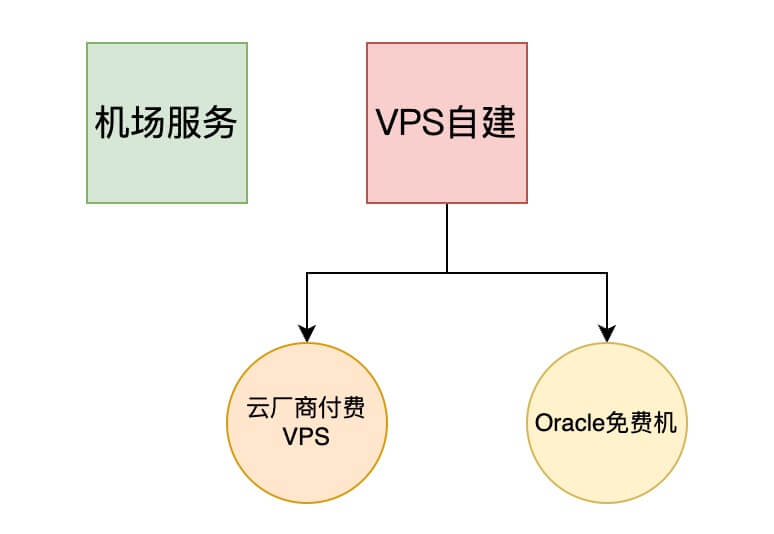
Solutions
Purchasing Proxy Services Recommended
- I recommend this ✈️ Shadowsocks Proxy Service, been using it for
10+ years.- Lite membership: $20/year
- Pro membership: $12.95/month, $99.95 USD/year
- Proxy services generally provide subscription addresses, recommended for those who don’t want to deal with setup complexity
- I chose the annual Pro membership. The difference between Pro and Lite is as follows (refer to the official site for accuracy, below is for reference only):

- For pricing, if you’re purchasing around Double 11 (Nov 11), it’s worth waiting for the
annual Double 11 renewal activity. For example in 2023, the activity ranfrom 00:00 on November 10, 2023 to 23:59 on November 13, 2023.Prices are significantly discounted.
⚠️ This solution is suitable for friends who don’t want to build their own nodes - high stability and no hassle.
Self-built Nodes with Vultr/Lightnode and Other Cloud Providers
- Recommend Singapore/Hong Kong/Japan
- v2ray+https+websocket, decent stability, average latency around 500ms+, not particularly fast, but can solve daily Google searches
- Pricing: Recommend choosing hourly billing, like Vultr
Free Cloud Provider Machines
- Such as Oracle, for setup instructions see Oracle Permanent Free Machine Usage
Using Private Servers Outside Mainland
For example, using machines from friends outside the mainland. The advantage is exclusive use, and since IPs are usually dynamic, if blocked, generally just restart the machine. Currently I’m using one in Macau with ~100ms latency, which is acceptable.
Clients
Mac
iPhone
- Surge
Paid - ShadowRocket
Paid- Supports clash subscriptions
- Spectre
Free
- Surge
Windows
- Clash
Free
- Clash
Android
- Clash
Free
- Clash
Chrome Extension
- Proxy SwitchyOmega
Free
- Proxy SwitchyOmega
AppleTV
- Surge
Paid
- Surge
My Current Tool Stack
- Subscription - Shadowsocks proxy service
- Surge proxy software (Mac/iOS/ATV multi-platform)
- Oracle machine and other VPS for building personal proxy nodes
Using multiple approaches to ensure overall stability.
My Views on Self-built vs Proxy Services
- Both self-built and proxy services have pros and cons, both are viable. But for self-built, unless you buy good VPS like Hong Kong ones, latency is still quite high - for example, YouTube HD won’t be satisfactory. So choose proxy methods based on stability and cost considerations. If you’re really unsure and want convenience, I recommend the third approach mentioned above - cheap, try for a year, and find what suits you best through actual usage.
- Due to uncertain external environment impacts, there’s no absolute stability, but generally it’s OK. The proxy services recommended above are ones I’ve been using personally, so stability is pretty good.
Final Thoughts
I hope the above information can help some friends.