Sorting out my personal iPhone software for record-keeping and to provide references for friends.
Description
- Some apps are paid, although many free and open-source alternatives exist. Ultimately, an app’s value is determined by its output, and these apps have significantly helped my work and life, making them worth the cost.
- Due to personal financial constraints, some paid apps are obtained through student licenses or trial solutions. Student verification can be free with full functionality. Trial versions also have full functionality but are time-limited.
- For paid apps, within economically acceptable limits, support legitimate purchases when possible.
- This list is updated periodically so that some apps may be replaced.
- Through continuous selection and refinement of apps, I have realized that apps are like swords to a swordsman. It’s not about quantity but about how handy and sharp they are. Choose the right ones, understand them deeply, and improve your efficiency, improving your work and life.
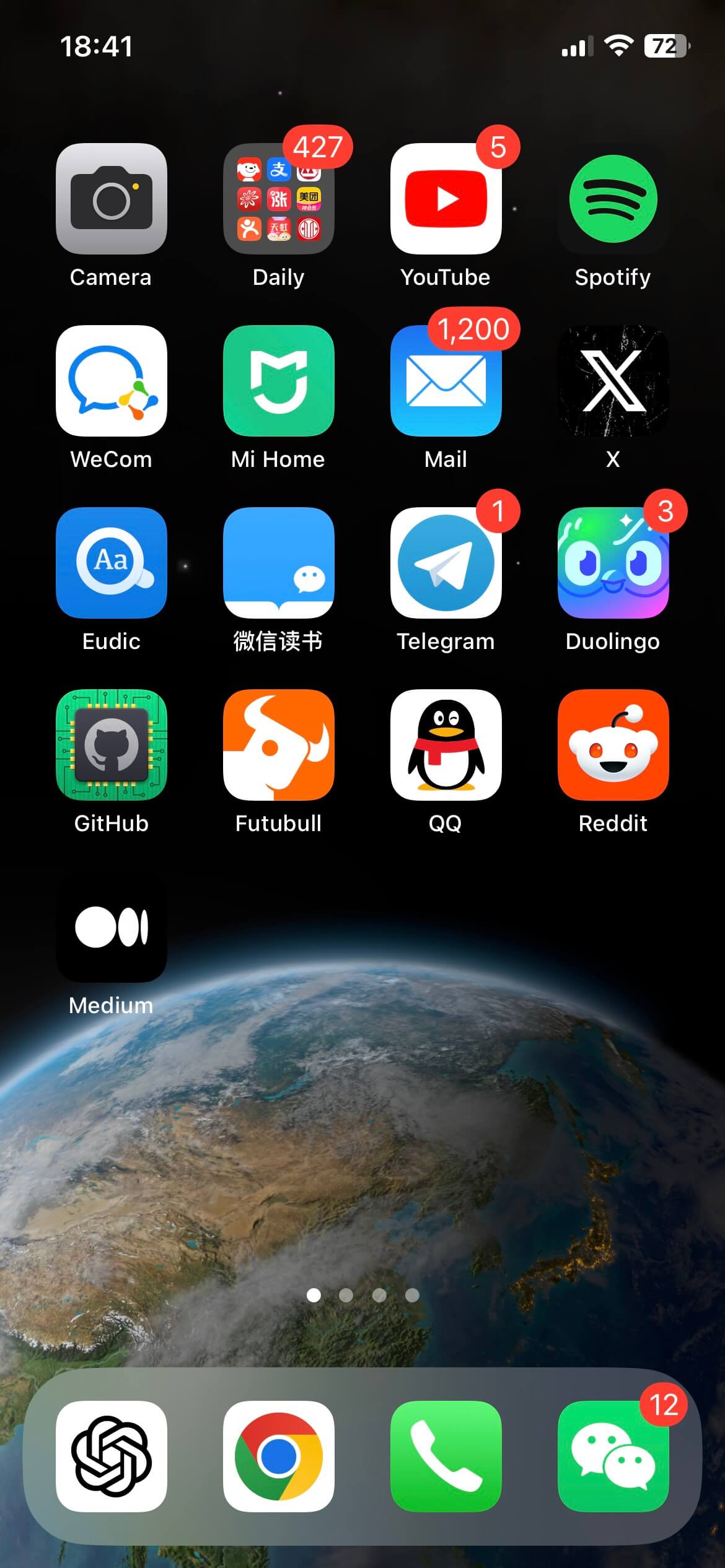
The app list is as follows:
Download links indicate the App Store region. Availability depends on your Apple ID region and the app’s current listing. Icons come from the apps’ App Store listings.
YouTube

- Download: App Store (China)
- Function: Videos
- Pricing: Paid/Monthly Subscription
- Notes: Rich and comprehensive videos,
learning, and entertainment are not mutually exclusive
YouTube Music

- Download: App Store (US)
- Function: Music
- Pricing: Paid/Monthly Subscription
- Notes: Included with YouTube Premium. I prefer Spotify, but YouTube Music has fewer account restrictions, so it works for me.
X

- Download: App Store (China)
- Function: Stay updated with the latest news, such as OpenAI’s official Twitter
- Pricing: Free

- Download: App Store (China)
- Function: IM (Instant Messaging)
- Pricing: Free
WeChat Read

- Download: App Store (China)
- Function: Reading books/magazines
- Pricing: Paid/Annual Subscription
Telegram

- Download: App Store (US)
- Function: IM (Instant Messaging)
- Pricing: Free
- Notes: So far, the
best experiencemessaging app
Alipay

- Download: App Store (China)
- Function: Payment
- Pricing: Free
China Merchants Bank

- Download: App Store (China)
- Function: Banking and personal finance
- Pricing: Free
CMB Life

- Download: App Store (China)
- Function: Banking and personal finance
- Pricing: Free
JD

- Download: App Store (China)
- Function: E-commerce Shopping
- Pricing: Paid/Annual Subscription
Pinduoduo

- Download: App Store (China)
- Function: E-commerce Shopping
- Pricing: Free
- Notes: Complements JD, meeting shopping needs
Xianyu

- Download: App Store (China)
- Function: Second-hand Trading
- Pricing: Free
- Notes: A good way to quickly get some money back
1Password

- Download: App Store (China)
- Function: Password Management
- Pricing: Paid/Annual Subscription
Surge

- Download: App Store (US)
- Function: Network Proxy
- Pricing: Paid/Annual Subscription
- Notes:
Highly recommended
Eudic
- Download: App Store (China)
- Function: Dictionary
- Pricing: Free
- Notes: Supports importing third-party dictionaries
Ctrip

- Download: App Store (China)
- Function: Travel
- Pricing: Free
- Notes: I really like the
Lifetime Journeyfeature, but when booking hotels, I recommend comparing prices with platforms such as Qunar and choosing the cheaper option.
DiDi

- Download: App Store (China)
- Function: Transportation
- Pricing: Free
Amap

- Download: App Store (China)
- Function: Map Navigation
- Pricing: Free
Fantastical
- Download: App Store (China)
- Function: Calendar
- Pricing: Free
- Notes: Calendar event management
GitHub

- Download: App Store (US)
- Function: Use GitHub
- Pricing: Free
- Notes: Official app, sometimes used for handling open-source project PRs or viewing repos
Multica Go

- Download: App Store (China)
- Function: Use Multica on mobile
- Pricing: Free/Paid in-app purchases
- Notes: An unofficial app that I use frequently on the go to manage multiple AI tasks. It feels great to use and supports voice input. I built it myself: the official app was not yet released and did not work well for me, so I decided to make my own.
Final Thoughts
- I like a few more apps, such as Kindle, Medium, and O’Reilly, but I prefer to use reading apps on my iPad mini due to the larger screen.
- The right and handy app can be highly productive when used appropriately.

