Our company dropped the O’Reilly Safari Online subscription. To keep learning freely, I needed a personal workaround.
The official price is steep: “Safari Books Online costs $39 per month or $399 per year.” If you can afford it, great; if not, read on.
One alternative is to join ACM for $25/year and use that to access Safari. That’s the route I took.
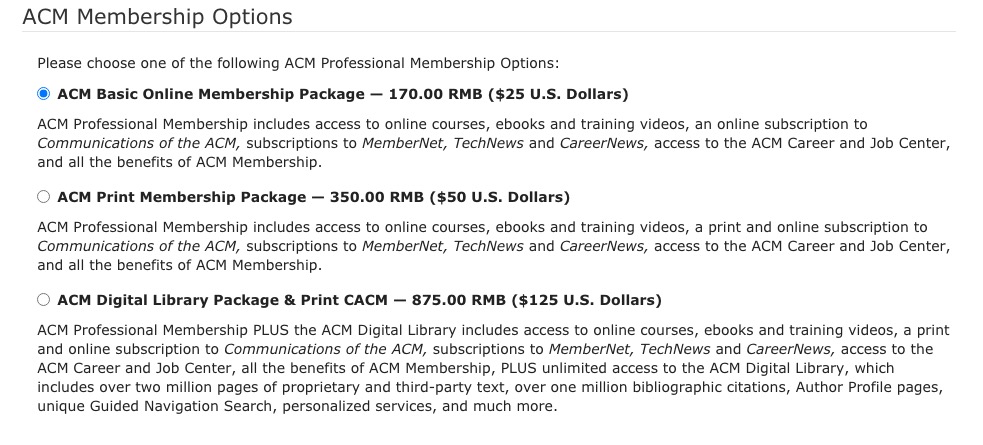
Register for ACM
- Sign up here: https://services.acm.org/public/qj/proflevel/proflevel_control.cfm?level=3&country=China&form_type=Professional&promo=LEVEL
- Choose the lowest tier ($25 ≈ 164.51 RMB).
- Pay via PayPal.
- After payment you’ll be prompted to finish registration. Complete the forms and save the generated username/password.
- Check membership status at https://myacm.acm.org.
- ACM emails renewal reminders annually; renew manually for the same $25 rate.
Log in to Safari Online
- Enter your ACM email (with the
@acm.orgsuffix). Safari redirects to ACM’s login page. - Use the same username without the
@acm.orgsuffix; the password is unchanged. - Works across iOS, iPad, and the web.
Notes
- O’Reilly doesn’t limit device count, so multiple people can share the same account (though sharing may violate terms—use judgment).
Reference
Final Thoughts
- For $25 a year you gain full access to O’Reilly’s library—not bad.
- I’ve moved away from paper books; they’re bulky and hard to manage. Kindle + O’Reilly cover my needs across languages and topics.

