With an increasing number of peripherals in the Mac ecosystem, there’s a frequent need to switch audio input and output devices. GUI operations are too inefficient, so I spent my weekend creating a workflow to improve switching efficiency.
Implementation Foundation
After researching various solutions, I found the options were limited:
- There’s a command-line module called switchaudio-osx, but it doesn’t support AirPlay, and the author has no plans to add support. Modifying it would require C language development skills, so I abandoned this approach
- AppleScript+Shell has the advantage of being built into the Mac environment with no dependencies, allowing for direct installation and use
I ultimately chose option 2, which required me to systematically learn AppleScript. I managed to get it working after just a few hours.
Current Effect
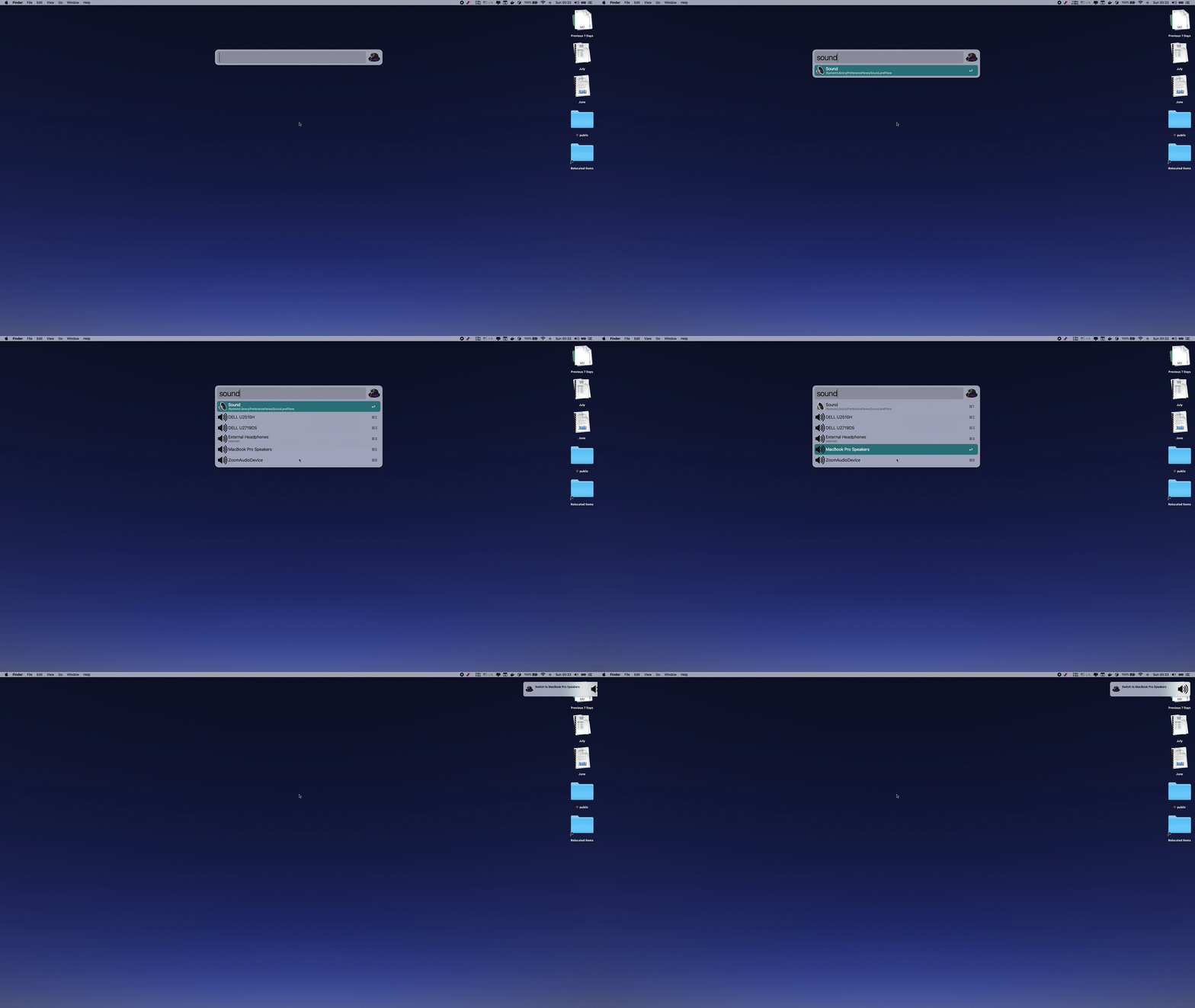
Download link: Click here
Conclusion
One hallmark of programmer efficiency is keeping your hands on the keyboard. With this workflow’s support, switching audio devices no longer requires using the mouse. Nice!

