Recently, I set up my personal English blog with the domain en.1991421.cn. My existing Chinese blog uses 1991421.cn, and my image hosting uses static.1991421.cn. Applying for separate single-domain certificates for each domain would be too troublesome to maintain. To simplify management and make it easier to expand with new subdomain services in the future, I decided to apply for a wildcard certificate.
Wildcard Certificates
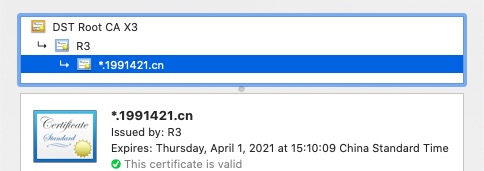
A wildcard certificate is a certificate that serves multiple subdomains under a single domain. For example, the *.1991421.cn certificate I’m applying for can be used on any subdomain like en.1991421.cn or static.1991421.cn.
Notes
*.1991421.cn can only be used on second-level subdomains; it won’t work on the top-level domain 1991421.cn
A certificate for 1991421.cn can only be used on 1991421.cn
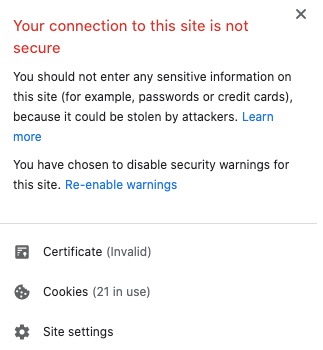
If you install a single-domain certificate for 1991421.cn on en.1991421.cn, browsers will show a security warning indicating the certificate is invalid
Certificate request
Here I use Certbot to apply for a Let’s Encrypt free certificate. For the specific execution script, you can refer to here.
The main code for certificate application is as follows:
docker-compose run --rm --entrypoint "\
  certbot certonly -w /var/www/certbot \
    $staging_arg \
    $email_arg \
    --manual --preferred-challenges=dns \
    $domain_args \
    --rsa-key-size $rsa_key_size \
    --agree-tos \
    --force-renewal" certbot
During the certificate application process, the terminal will prompt you to add a DNS TXT record. Follow the instructions to add the corresponding DNS record on your domain registrar’s website.
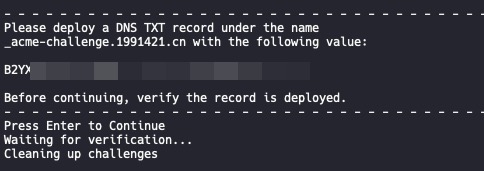
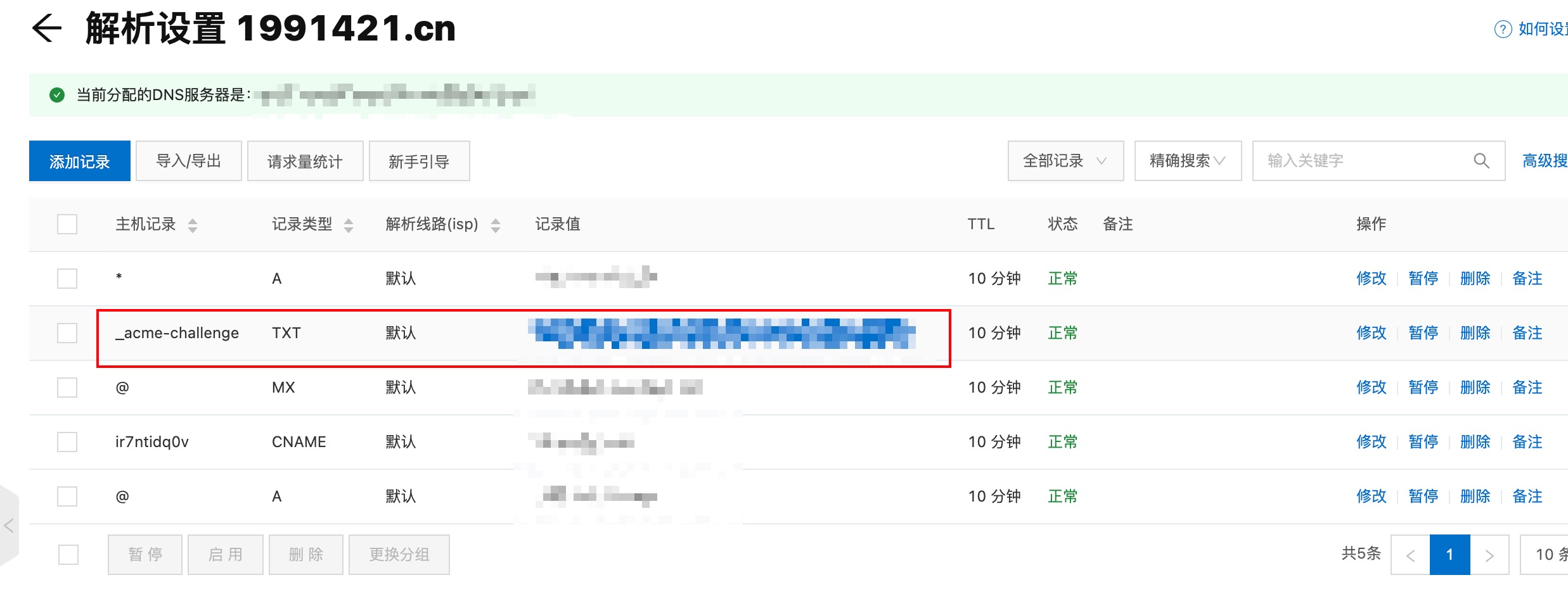
Once the DNS records are configured, the terminal will continue executing. If you see “Congratulations”, it means the application was successful. Use the certificate according to the file path provided in the output.
Notes
Wildcard certificates can only use DNS validation, so you need to manually add DNS TXT records. If you configure the wrong validation type, you'll see this error:
Client with the currently selected authenticator does not support any combination of challenges that will satisfy the CA. You may need to use an authenticator plugin that can do challenges over DNS.The validation method must be unique. If you specify both webroot and manual in your script, you'll see this error:
Too many flags setting configurators/installers/authenticators 'webroot' -> 'manual'Final Thoughts
- DNS validation is more troublesome than webroot validation, but this is only for the first time. After that, you can use Certbot for automatic renewal
- Once you have a wildcard certificate, you don’t need to apply for separate certificates for any new second-level subdomain services, which is much more convenient
Automating Wildcard Certificate Renewal
You can use Certbot to renew certificates. It provides hooks that can be combined with DNS provider APIs to automatically add TXT records for complete automation.
- Installation
git clone https://github.com/alanhe421/certbot-letencrypt-wildcardcertificates-alydns-au.git

cd certbot-letencrypt-wildcardcertificates-alydns-au

chmod 0777 au.sh
- Configuration
Edit domain.ini to add your DNS authentication information.
- First Manual Application
certbot certonly -d x.1991421.cn --manual --preferred-challenges dns --manual-auth-hook "/var/www/certbot-letencrypt-wildcardcertificates-alydns-au/au.sh python txy add" --manual-cleanup-hook "/var/www/certbot-letencrypt-wildcardcertificates-alydns-au/au.sh python txy clean" -m x@myemail
After successful application, you can use certbot certificates to view the applied certificates.
- Crontab Automation
For complete information, see https://github.com/alanhe421/certbot-letencrypt-wildcardcertificates-alydns-au