window.openerisn’t new, but it’s easy to overlook. Here’s why it matters.
What does window.opener do?
The Window interface’s
openerproperty returns a reference to the window that opened the window, either withopen(), or by navigating a link with atargetattribute.
In short, opener lets one window operate on another—within limits.
Example: Page A opens page B. You want B to trigger a refresh in A when a button is clicked. opener can help.
When does opener exist?
Sometimes window.opener is null. Conditions:
- Same-site
- Same-site is looser than same-origin: only protocol and eTLD+1 must match.
- A linking relationship exists
- A opens B via an anchor,
window.open, or within an iframe. - If the user types B directly in the address bar, A and B have no relationship.
- A opens B via an anchor,
If conditions are met, A opens B and B can access window.opener. They also share the same renderer process.
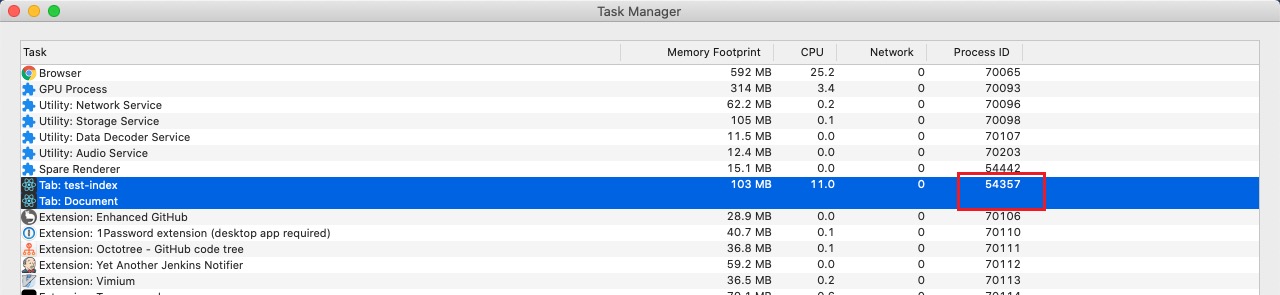
Chrome has a UI to inspect processes: three-dots menu → More tools → Task Manager.

In this screenshot, two same-site tabs share a process:
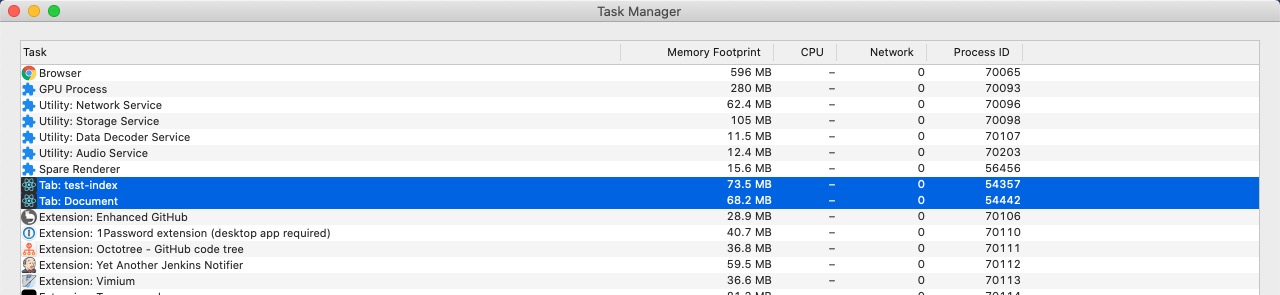
Slight changes to page code may result in separate processes:
noopener
Sometimes A opens B and they’re same-site, yet separate processes. Why? Special settings.
Both window.open and <a> support noopener (via rel="noopener" for anchors). With noopener, B opens in a new renderer process and cannot access window.opener.
Notes
- In Chrome, if you don’t explicitly set
rel='opener'on an<a>, the browser may open a new process. - With
openerenabled in a same-site context,sessionStorageis shared. Usenoopenerto avoid this.
eslint
For performance and safety, new tabs often prefer noopener. Enforce it with lint rules:
'react/jsx-no-target-blank': ['error']
Pros and cons of sharing a renderer process
Pro: shared resources, lower overhead. Con: if tab A crashes, tab B may crash, too. Make a trade-off.

