As a frontend developer, we constantly inspect Network requests. I lacked a systematic review of HTTP, so I compiled one to solidify understanding.
What is HTTP
The HyperText Transfer Protocol (HTTP) is an application layer protocol for distributed, collaborative, and hypermedia information systems. HTTP is the foundation of data communication for the World Wide Web. The HTTP protocol was initiated in 1989, and current standards are coordinated and published by the World Wide Web Consortium (W3C) and the Internet Engineering Task Force (IETF).
Key points
- HTTP is a protocol with a history of over 30 years
- HTTP is usually built on top of the TCP/IP protocol, but the HTTP protocol does not specify the layer it must use or support. Therefore, HTTP can be implemented on any Internet protocol or other network.
- HTTP requests are not necessarily initiated from a browser; crawlers or other tools can also send requests.
Versions
HTTP/2 is now mainstream, but it is necessary to understand the development history of the HTTP protocol to better familiarize oneself with it.
HTTP/0.9- Only accepts GET requests, no version number specified in the request line
HTTP/1.0- The first version with a specified version number
- Supports HEAD and POST methods
- Header fields supported, content type of request body, response body status codes, etc.
- Strong caching, If-Modified-Since, Expires
HTTP/1.1
- Supports GET, HEAD, POST, PUT, DELETE, TRACE, OPTIONS methods
- Persistent connections by default
- Multiple requests can be sent sequentially on a single TCP connection
- Long connections are closed after being idle for a period of time
- Pipelining allows sending requests without waiting for responses, but it’s off by default and rarely used.
- Compression/decompression, negotiated caching, and other performance optimization support
- Host header handling
HTTP/2
Multiplexing
True parallelism on a single connection
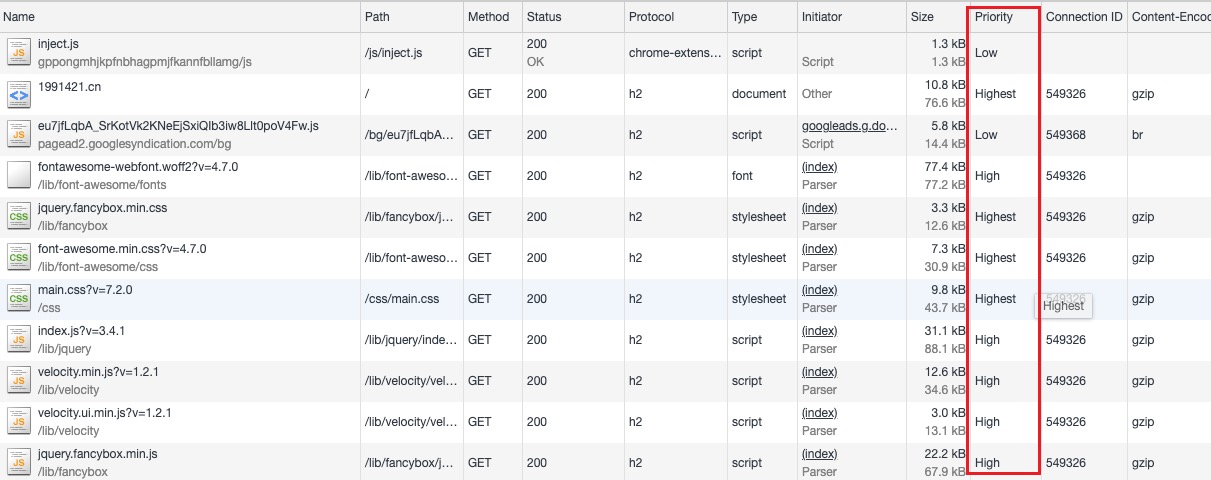
Request prioritization
Prioritization is determined by the requesting client; for example, browsers control priorities based on the type of requested resource, and this cannot be manually specified by developers.
Server push
Header compression
HTTP/3 (draft → adoption)
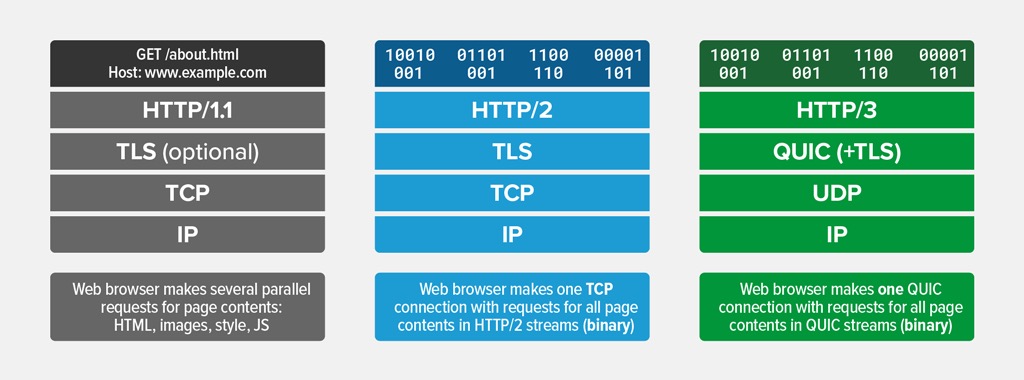
- The underlying protocol is changed from TCP to UDP-based QUIC
- Reduces connection establishment time
Remember
- A large number of websites are still in the process of upgrading from 1.1 to 2.
- Any HTTP protocol, such as HTTP/2 support, requires the web server container (like Nginx) and the access terminal (like Chrome) to support it.
- For example, HTTP/3 is still a draft. If you want to try it, you need to configure your server to support the protocol and install Chrome Canary with QUIC enabled.
- TLS (HTTPS) is also supported on HTTP/1.1; it does not necessarily require HTTP/2.
- Some websites already support HTTP/3, such as YouTube.
- To test if a site supports HTTP/3, you can use this tool: https://gf.dev/http3-test
HTTP in Chrome DevTools
As mentioned at the beginning, front-end developers inevitably encounter many HTTP requests, and the most common tool for viewing requests is Chrome DevTools. With DevTools, we can both learn more about HTTP and understand the mechanisms of how web pages make HTTP requests.
With HTTP/2 multiplexing, multiple concurrent requests share a single connection, but browsers still cap connections per origin.
In Chrome, the per‑origin connection cap is typically 6.
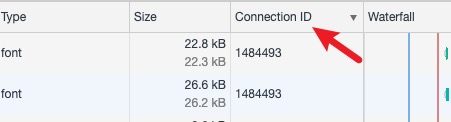
Because connections are reused under the same domain name, the TCP connection ID is consistent; this is the connectionID in the Network tab.
“Canceled” often occurs when a navigation interrupts in‑flight requests — a client‑side cancellation, not a server error.
Decrypting HTTPS for debugging
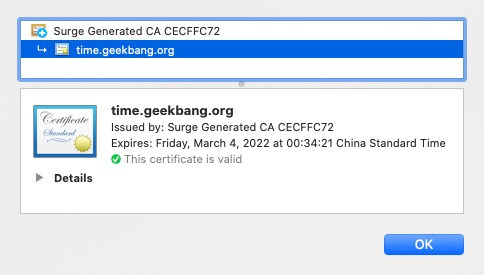
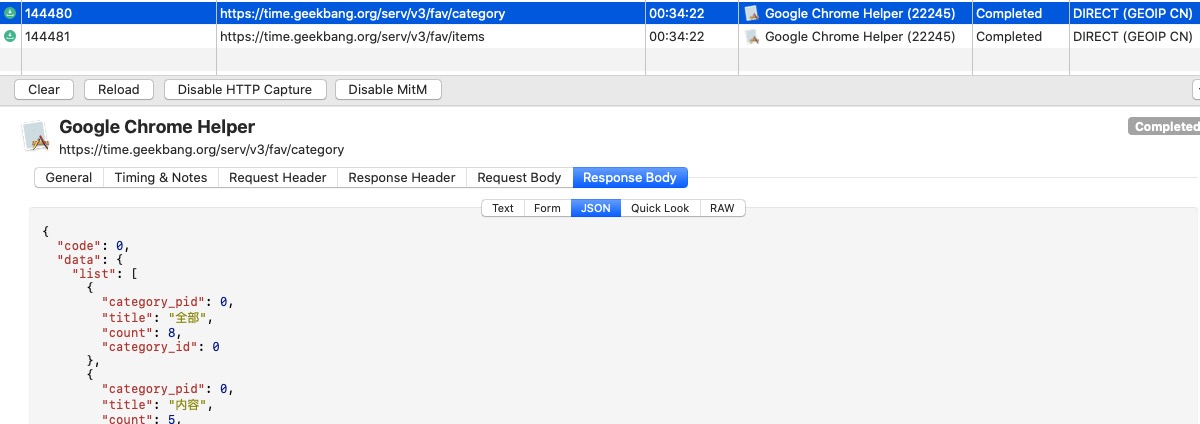
With Chrome’s strong promotion of HTTPS, most websites now use HTTPS. When viewing HTTPS request data in a browser, it’s no different from HTTP, but if you want to analyze HTTP requests made from an app, the app itself doesn’t provide an interface. In this case, you need a proxy tool to intercept traffic and analyze packets. However, after capturing packets, you’ll find a bunch of binary data that’s unreadable because of TLS. To view the data as in a browser, you need to install a root CA certificate.
Since trust anchors come from the OS store, installing your proxy’s root CA allows on‑the‑fly TLS decryption. Not all sites permit this (certificate pinning will break it).
Final Thoughts
Just a few words, serving as a learning review.