I hadn’t had a HK/US card before. Recently my company organized a group application, so I registered. The procedures are complex; jotting them down so I don’t forget.
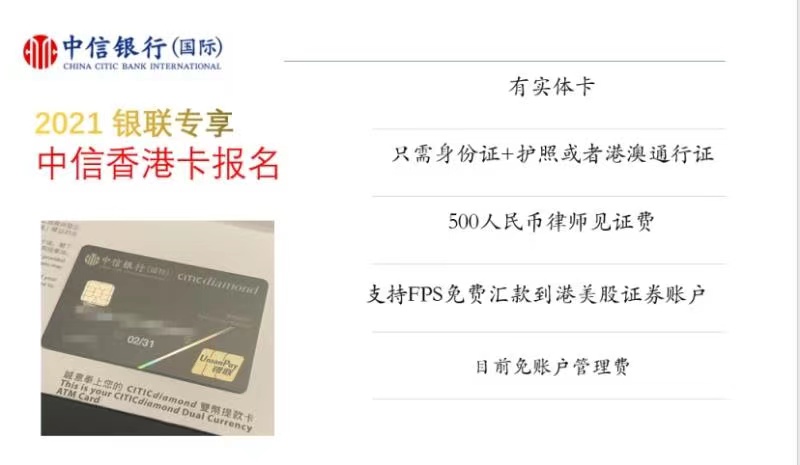
Card application process
Register/log in to the Futu app → My profile to see your
NiuNiu number.Apply for a
CNCBI stored value card, transfer a small amount and make some transactions so there is activity within the last 3 months for witness verification.Fill in the
account opening applicationand save as PDF.HK/Macau travel permit or passport— print a photocopy (either one is fine).Use the CNCBI app to print the latest
3 months of statements.ID card copy— keep the original size, do not scale.Witnessed account opening — provide the following per the lawyer’s requirements:
- Account opening application
- ID card copy/original
- HK/Macau travel permit copy/original
- CNCB bank statement copy
HKD 500 witness fee + HKD 30 postage
Email: CNCBI (International) — Additional info for remote account opening.
Email: CNCBI (International) —
Application approved.HK courier — PIN letter.
Wait for a CNCBI International verification call (HK number).
- If you miss it, call back (faster) and tell the IVR: HK card activation —
4008425558(CNCBI). - Fill in online forms after 2 business days.
- If you miss it, call back (faster) and tell the IVR: HK card activation —
First‑time registration: https://www.cncbinternational.com/home/sc/index.jsp
HK courier: receive
physical cardin3–4 weeks.Activate by transfer: deposit
> HKD 10,000(recommend HKD 10,500) to avoid account closure risk.
Notes
- Photocopy requirements:
- Color or black-and-white are both fine
- Do not scale; keep the same size as the original
- Single-sided copies
- Do not use a collective household address for ID/address in the application.
Remitting to the HK account
To fund your HK account from mainland, you need FX purchase + overseas remittance, which incurs fees.
I recommend the CMB app — better experience.
In the app, search for
FX purchaseand follow the prompts.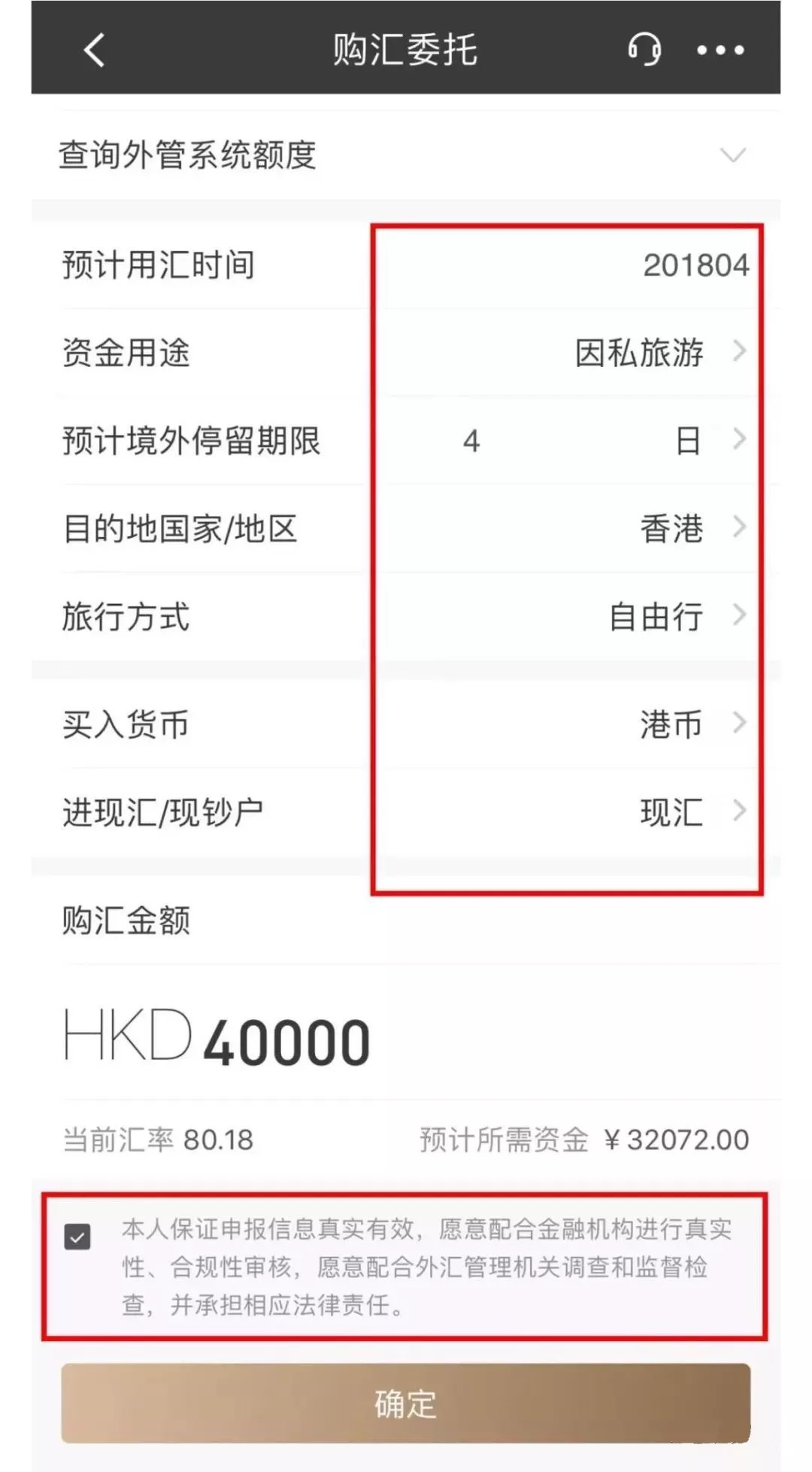
After purchasing FX, search for
overseas remittanceand proceed. Mind the remittance fee; selecting “recipient pays” is about150 CNY.After approval, confirm receipt on the HK account portal.
For a full walkthrough, see this guide.
Withdrawals to RMB
ATM withdrawal
Enable overseas ATM withdrawal.
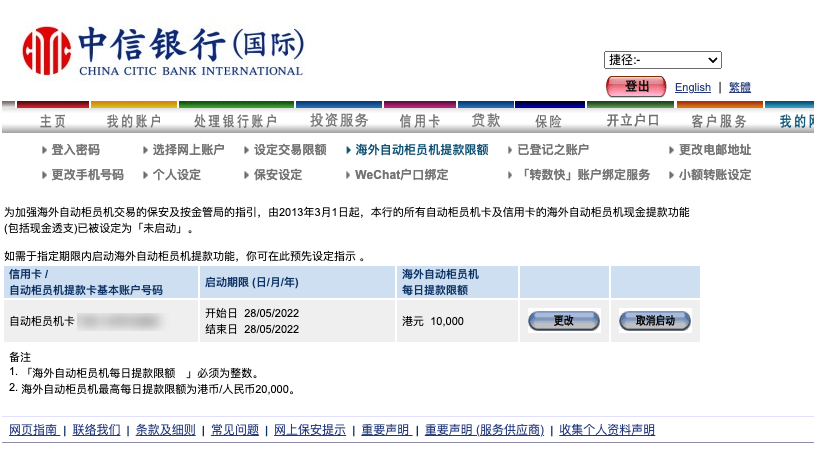
Withdraw directly; each transaction fee is
15 RMB. Use CNCBI ATMs to avoid extra fees. Single withdrawal limit:5,000 RMB.
Remit to a mainland account
- Similar to remitting to the HK card, select remittance transfer on the website. There is a fee.
- After the remittance arrives, accept it in your mainland bank app.
FX purchase/settlement quotas
Separate quotas, both at USD 50,000. You can view remaining quota during operations.
HK account information
After receiving the card, note the following for future use:
Account name
If it is Latin characters, it should be uppercase pinyin with spaces.
Routing Number
SWIFT Code
Branch address. Sometimes multiple branches share the same address; that is normal, but branch names differ.
Bank code: CNCBI is
18.Branch code: depends on the branch. For example, mine is the Des Voeux Road Central branch, which corresponds to
694. You can check here: https://bankcode-hk.shortfryer.com/bank/018/694CNCBI accounts have HKD/CNY/USD sub‑accounts. For transfers/withdrawals, use the 12‑digit account number for the specific currency, not the card number.
Avoid account closure due to inactivity
The following is summarized from Xueqiu.
Log in regularly (at least
1–2times per month).Make
1–3valid transactions within 3 months (e.g., savings → current transfer, or a currency conversion).Keep the required minimum balance. CNCBI has no strict minimum; keep HKD 100 to be safe.
Avoid “fast in, fast out” (e.g., deposit
200kone day and withdraw the same day or next day).
Reactivation
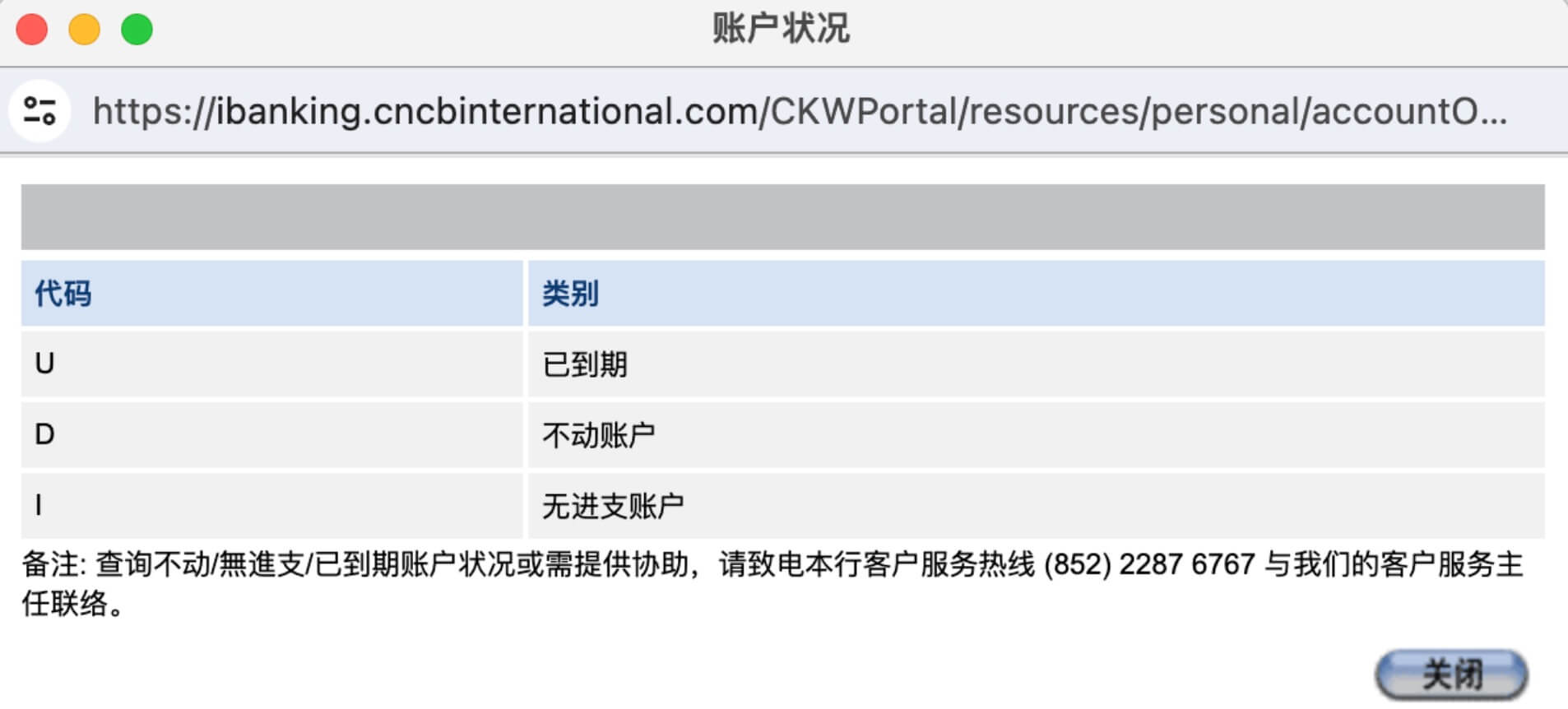
If the account status shows D (dormant), you can reactivate via the mobile app. HKD/USD/CNY sub‑accounts need separate activation.
Transfers between sub‑accounts
If funds arrive to USD but you need HKD, transfer between sub‑accounts. Note: only on business days.
Customer service
Call: 400 842 5558 (Mandarin supported). Don’t call mainland 95558 — CNCB and CNCBI are different.
App
- For mobile use, download the CNCBI app.
- For web use, visit https://www.cncbinternational.com/home/sc/index.jsp
Note: No concurrent logins across multiple devices.
Final Thoughts
Do it once, benefit long‑term — better to get this set up early.


