I’ve been building a component library. To promote adoption, I set up docs. After comparing options, I chose Storybook — popular and fits the needs. The framework is simple but there were some gotchas; notes below.
Usage
# Initialize
$ npx sb init

# Hot startup, web browsing available
$ npm run storybook
Notes
sb init is not made for empty projects — run init at the component library root (not an empty folder). Storybook merges its config into your existing project.
Details
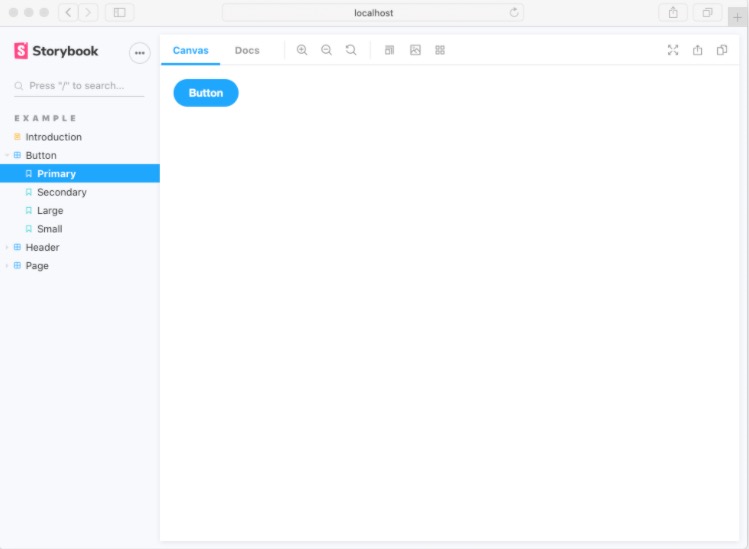
After initialization, you can view the docs. Next steps are custom configuration and writing example stories.
Project files
Key files in the docs setup:
The .storybook folder contains documentation-related configuration
main.jsMain configuration, required for both packaging and preview
preview.jsPreview-related configuration
Files ending with
.stories.tsxare the docs stories. You can also use MDX.
Component stories.tsx
Use
/intitleto create nested menus (2+ levels).Two ways to document components:
- Add multi‑line comments above the component class/function.
- Add multi‑line comments to props/fields.
Use multi‑line comment syntax for both.
Common issues
- Importing global CSS
If components depend on global styles, import them in .storybook/preview.js.
import 'tea-component/dist/tea.css';
- Exclude stories from package builds
Source and docs live together; exclude story files from the library’s tsconfig used for packaging.
{
 "exclude": [
    "node_modules",
    "test/**/*",
    "lib/**/*.stories.tsx"
  ]
}
For the root tsconfig used by the app, still include stories to keep type safety.
Global i18n init
For global initialization (like i18n), run it in
.storybook/preview.js, similar to global CSS.const translation = {}; // Initialize internationalization entries i18n.init({translation});Parsing error: “parserOptions.project” has been set for @typescript-eslint/parser.
Parsing error: “parserOptions.project” has been set for @typescript-eslint/parser. The file does not match your project config: lib/button.stories.tsx. The file must be included in at least one of the projects provided.
This occurs when ESLint points to a tsconfig that doesn’t include the current file. Fix by updating include to cover story files.
Default export of the module has or is using private name ‘HeaderProps’
Prop description not hot‑updating?
When editing prop comments, descriptions may not refresh immediately.


