When developing TS packages under NPM, you might add custom properties to Window or add custom properties to Node Env. These global type definition files are all .d.ts. Even if these files are published in the package, when used in specific projects, you’ll find that type hints don’t work. For safety, let’s solve this.
Solution
Solutions differ for TS/JS projects
TS Project
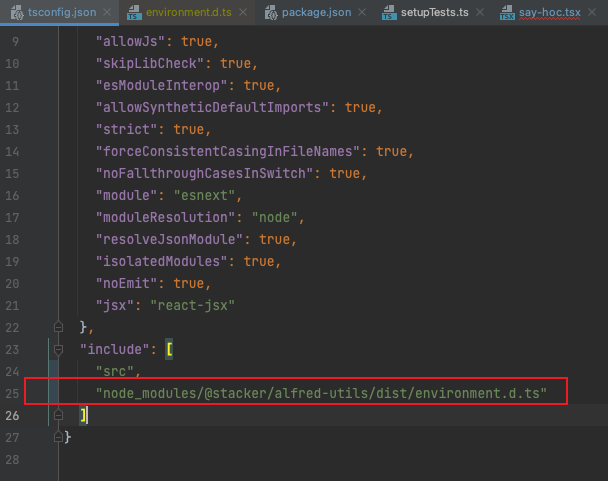
Add the definition file to the include section in tsconfig.json
JS Project
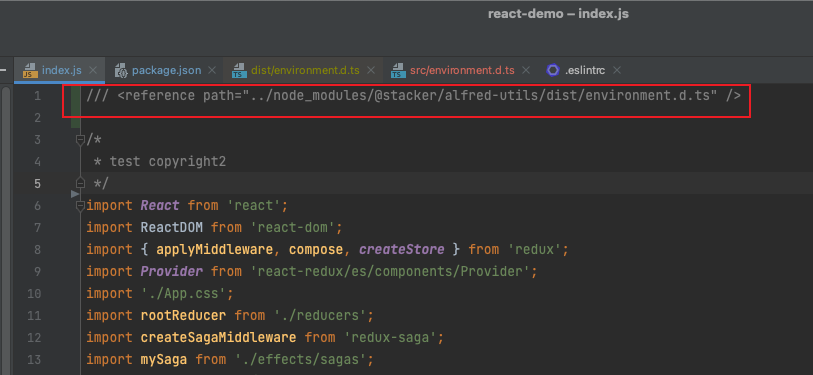
Note: paths only support absolute paths and relative paths; project root paths are not recognized
After configuring as above, when using related objects, these properties will be available, and clicking can normally jump to the definition file.
Best Approach
The best approach for TS projects is to publish @types packages
Final Thoughts
TypeScript’s only purpose is types, so ensure type hints and type safety as much as possible.

