I seldom purchase servers in mainland China, but I still register domains there—it’s cheaper and management tools are friendly. I recently moved a domain from Aliyun to Tencent Cloud, so I documented the transfer steps.
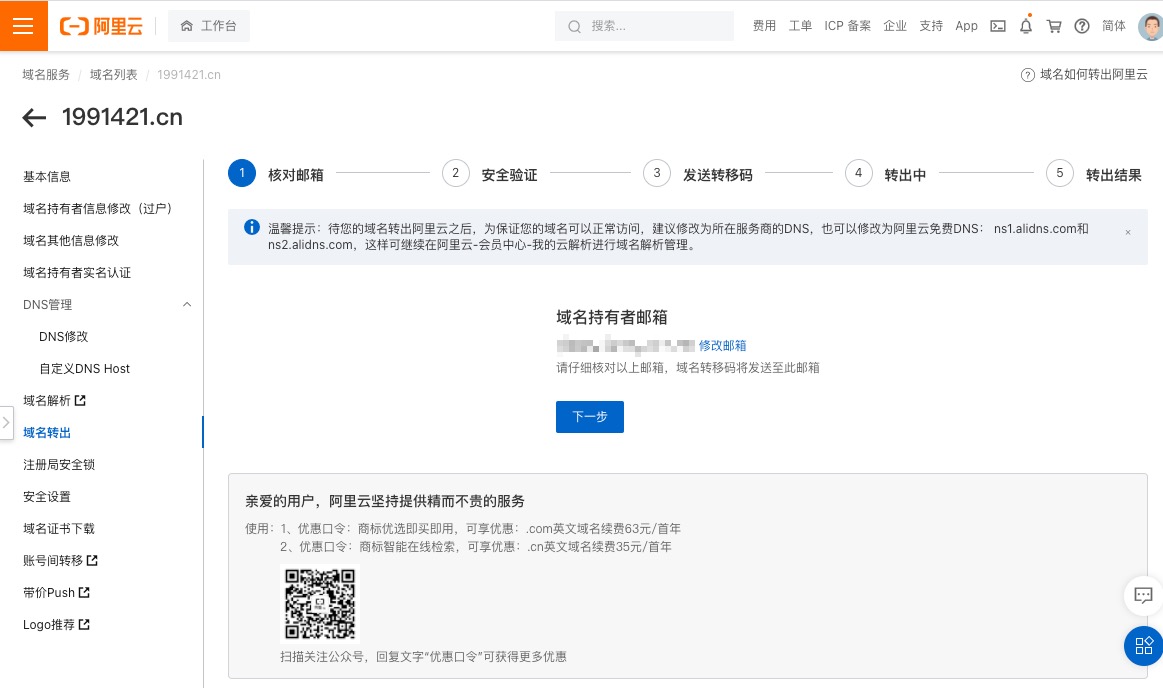
Process
- On Aliyun’s transfer-out page, request the Authorization Code.
- On Tencent Cloud’s transfer-in page, submit the domain + authorization code.
- Transfer-in typically takes 4–6 business days (mine finished in one day).
- Afterward, switch DNS to Tencent’s recommended servers.
- DNS records do not migrate automatically; recreate them manually.
- Transfers are free, but Tencent charges one year of renewal upfront—even if the domain hasn’t expired.
- While the status is “transferring,” you can’t edit DNS at Tencent yet, but Aliyun still allows configuration changes.
After that, wait for the transfer to complete.
GoDaddy?
I’ve used GoDaddy as well. Transfers there differ slightly:
- For transfer-in, search the domain first and proceed with the authorization code.
- For transfer-out, initiate it from the domain management page, similar to Aliyun/Tencent.
References
- Tencent Cloud transfer-in: https://cloud.tencent.com/document/product/242/3645?from=10680
- Aliyun transfer-out: https://help.aliyun.com/document_detail/35876.html
- GoDaddy transfer-in: https://sg.godaddy.com/zh/help/transfer-my-domain-to-godaddy-1592
- GoDaddy transfer-out: https://sg.godaddy.com/zh/help/transfer-my-domain-away-from-godaddy-3560

