For technical and non-technical problems I encounter, besides writing blog summaries, I often record them as GitHub issues in
alanhg/others-noteandalanhg/coding-note. Searching across repos is inefficient, so I decided to build a Telegram Bot to search issues across repos. I didn’t find an existing solution, so I implemented one myself.
Current Result
Use the repoadd command to add target repositories, then enter any keyword to search issues across multiple repos. Demo:
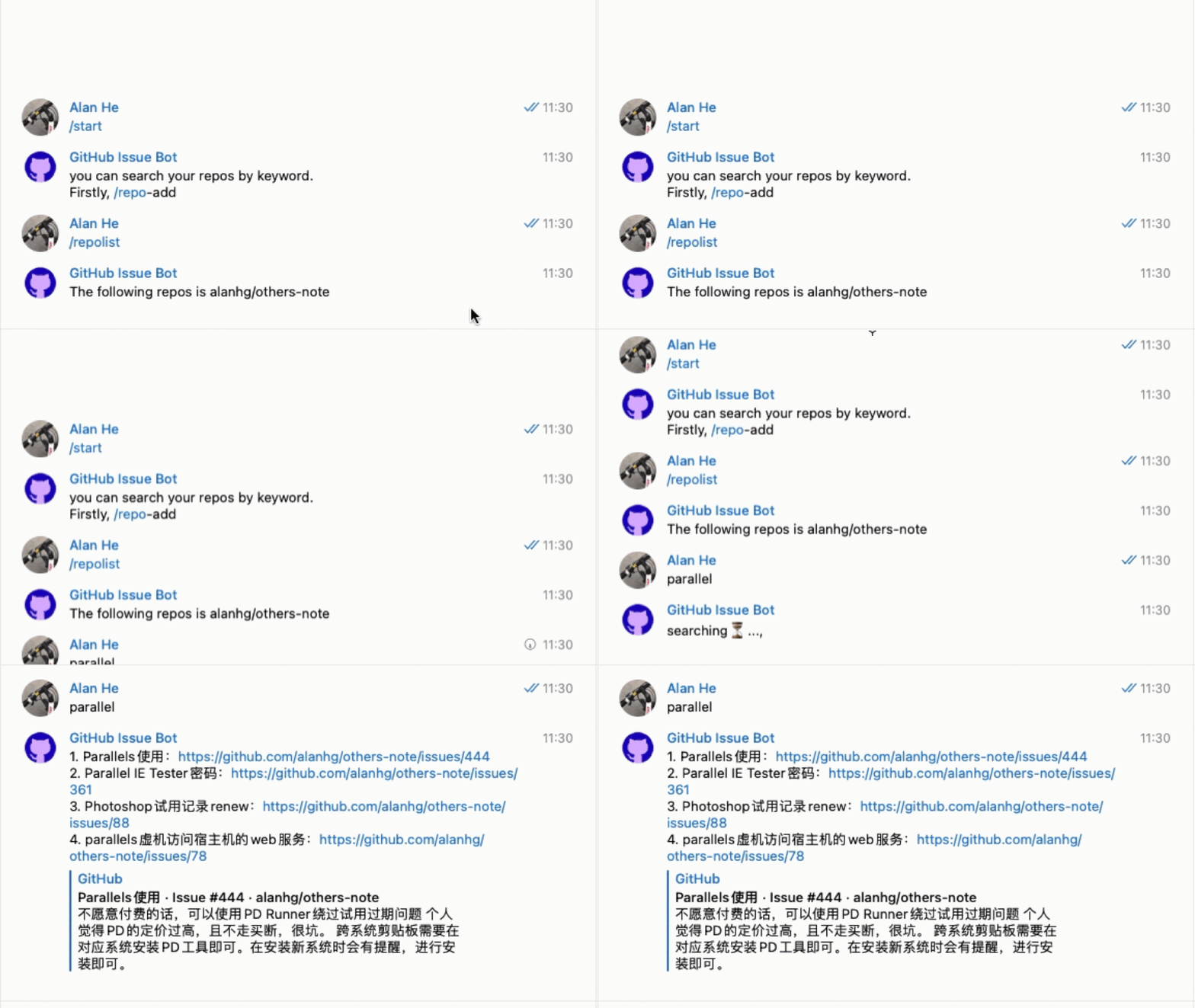
Bot link: GitHub Issue Bot
Bot Development
I hit a few bumps while building the bot; here’s a summary:
Create the bot with
@BotFatherand follow the interactive setup.- Configure bot name/avatar and command list in BotFather.
- Keep the
bot_tokensafe; it identifies your bot and authorizes messaging. - To create a command list, use BotFather’s “Edit Commands” for the target bot. Notes:
- Avoid hyphens in command names.
- Don’t include a leading
/in the definition; the slash is only for invocation.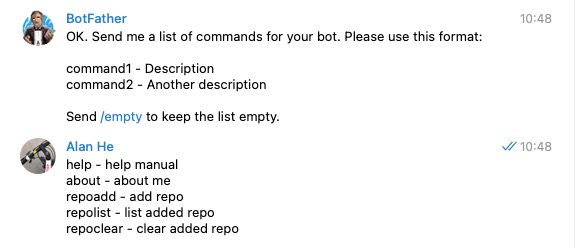
- You can’t add commands incrementally; enter the full set each time.
There are solid helper libraries to get started.
- For Node.js, use node-telegram-bot-api.
Bots support markdown/html message formats, which simplifies layout.
To update a “searching…” message with results, use
bot.editMessageTextwith explicitmessage_idandchat_id.To listen for replies to a specific message, use
bot.onReplyToMessage.Deploy the bot on a publicly reachable host; you may also need a proxy during testing.
Final Thoughts
With this bot, I can simply enter a keyword to check for similar issues across repos.


