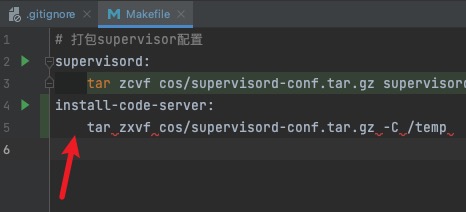
While examining projects, I noticed that some projects, especially backend projects, have a Makefile file, which allows convenient encapsulation and calling of build commands.
I hadn’t learned about this tool before, so I’m documenting it here.
Features
- Native support on Mac/Linux - once declared and created, you can execute it directly
- For shell files, you still need to manually add execute permissions
chmod +x *.sh - Using Node.js to implement build tools in projects is also possible, but there are still environmental dependencies
- For shell files, you still need to manually add execute permissions
- Supports variable parameter passing
Example
# Build frontend image make build version=1.0.0
build:
	docker build -t stacker/web:v$(version) .
For example, encapsulating the above command into a Makefile allows you to simply run make build version=1.0.0 whenever you want to package a new image file
Syntax Notes
- Recommended filename is
Makefile, butmakefileis also acceptable - Only supports single-line comments
- Commands starting with @ indicate that the command output should not be printed
Common Errors
Makefile:5: *** missing separator. Stop.
Commands must be indented with tabs, not spaces