N1 Side Router Usage

This article introduces the usage of N1 side router, including its advantages, implementation details, and relevant resources. These steps can help improve efficiency when using N1 as a side router.

Sep 23, 2023 · 1 min read · 151 Words · -Views -Comments · Software & Tools
Network Tools 🇨🇳 阅读中文版
Read with AI

Choose an AI assistant

ChatGPT Open in a new tab with the article link and prompt
Claude Copy the prompt, then open Claude

Open Claude
Trouble reading the article?

If the prompt is missing, copy the full prompt below into your AI assistant. If the AI cannot read the article, paste the visible passage you want to discuss and add your question.

Recently moved and replaced the main router. To solve access issues for some devices at home, I’m setting up the N1 as a side router again.

Marking this down here
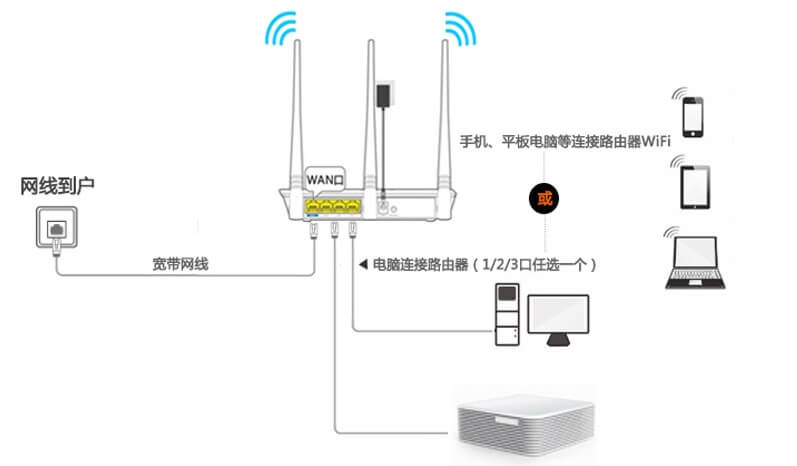
https://static.1991421.cn/2023/2023-09-23-224644.jpeg

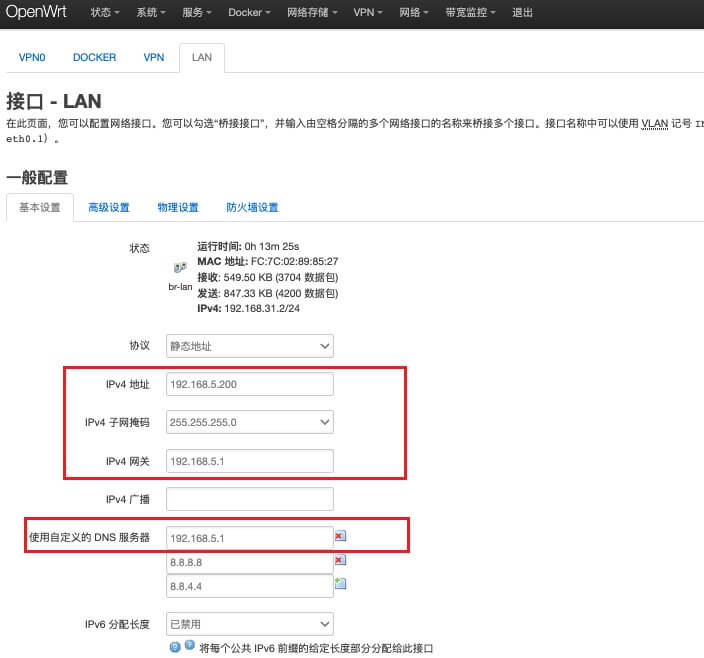
  1. First determine the fixed internal IP for N1 under the new router, for example I set it to 192.168.5.200

  2. While N1 is connected to the old router, access N1 and modify IP address, gateway, custom DNS (which is the main router IP information)

  3. Connect N1 to the new router and access the new IP address
    https://static.1991421.cn/2023/2023-09-23-232919.jpeg

  4. Configure openclash on N1

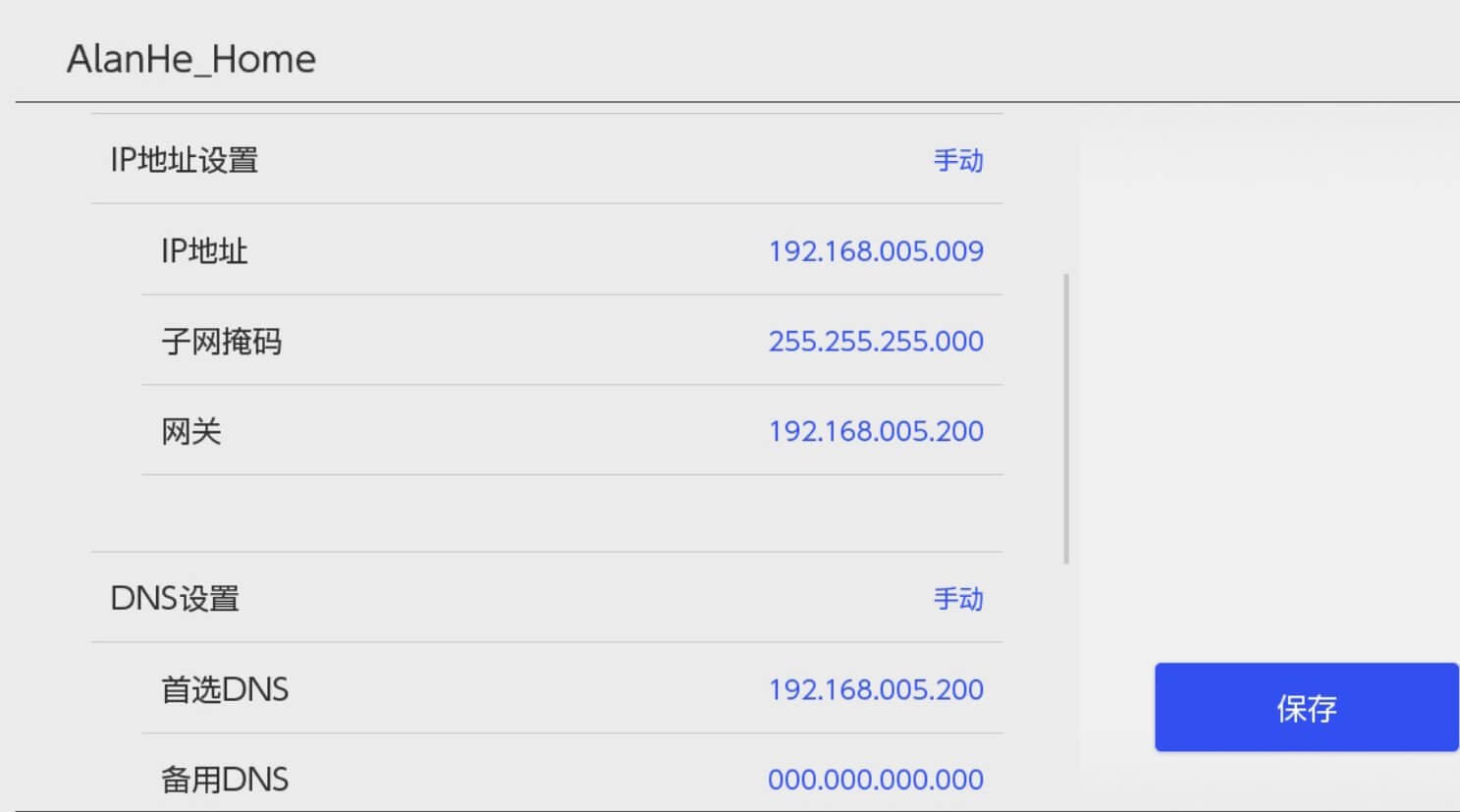
  5. For corresponding devices like NS, choose manual configuration of IP address/subnet mask/gateway/DNS information
    https://static.1991421.cn/2023/2023-09-23-233217.jpeg

This way, for devices that need scientific internet access, you can manually configure them as above. Of course, using Surge DHCP is also good, but here I chose the N1 side router solution for stability considerations.


Authors
Developer, digital product enthusiast, tinkerer, sharer, open source lover