Some terminals show ghosted command suggestions as you type. Press → to accept them instantly—that feature is called autosuggestion.
Autosuggestion vs. Autocompletion
They’re different concepts.
Autosuggestion leverages history or heuristics to display a full command after the cursor. Press one key to accept it.

Autocompletion uses command metadata to offer options when you press a trigger key (usually Tab). It doesn’t fill the entire command—just the current argument—and often produces multiple candidates.
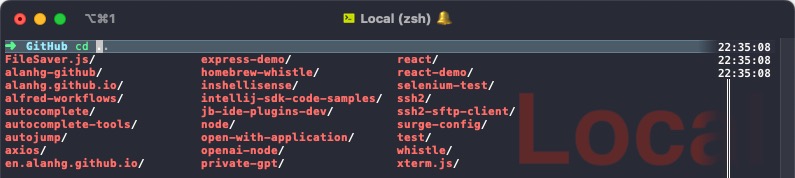
Both can coexist without conflict.
Enabling Autosuggestions
Each shell handles it differently.
Bash
No official community solution yet. Some terminals, like Warp, implement their own.
Zsh
Install via Oh My Zsh:
# Install Oh My Zsh
sh -c "$(curl -fsSL https://raw.githubusercontent.com/ohmyzsh/ohmyzsh/master/tools/install.sh)"

# Enable the zsh-autosuggestions plugin
plugins=(
  ...
  zsh-autosuggestions
)
Fish
Fish ships with autosuggestions enabled—no extra configuration required.
Final Thoughts
Turn on autosuggestions. Many commands repeat; accepting suggestions saves time and effort.

