Can environment variables be set when connecting to a server using the Node.js SSH2 client? After investigation, it was found that it is possible. Just marking it here.
Setting Environment Variables
The code is as follows:
this.conn.shell({
        env: {
          X_LOGIN_IP: '128.1.1.123',
          X_ENVIRONMENT_VARIABLE: "desiredvalue"
        }, term: 'xterm-256color', // term: 'dumb',
        cols: connectOpts.cols, rows: connectOpts.rows,
      }, (err, s) => {
        if (err) {
          console.log('ssh shell error', err);
          throw err;
   }
})
Limitations
This environment variable setting is restricted by whether the /etc/ssh/sshd_config allows setting specific rule variables. Different systems have different defaults for the allowed environment variable settings.
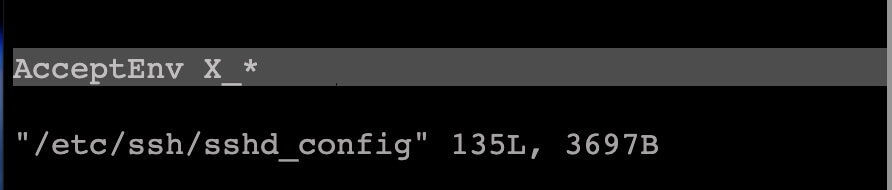
If you need to allow specific variables, the setting directive is AcceptEnv. The example below supports setting environment variables with the X_ prefix.
Default Supported Environment Variables
As mentioned earlier, different systems have different default settings.
- Ubuntu defaults to
AcceptEnv LANG LC_* - Debian defaults to
AcceptEnv LANG LC_* - CentOS9 does not have AcceptEnv set by default, meaning no environment variables can be set.
At the end
That’s all you need to know about setting environment variables on the client side.

