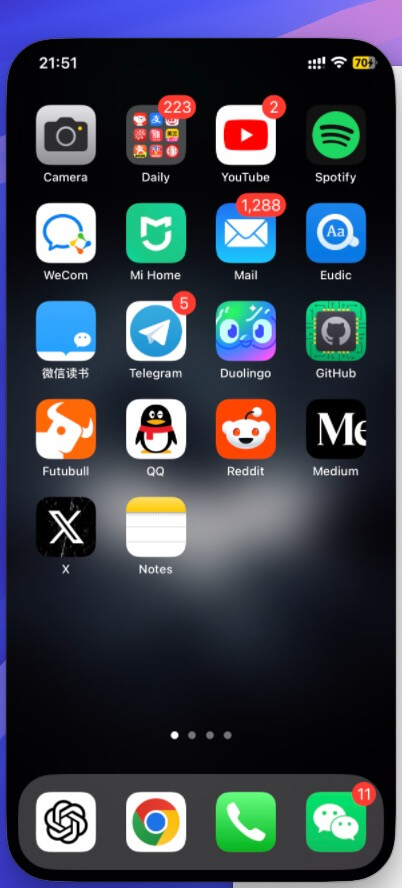
I have been profoundly experiencing iPhone Mirroring for some time, and it has become a daily feature. Here, I will mark my usage experience.
Requirements
Let’s first talk about the main prerequisites for using this feature:
- macOS needs to be upgraded to
Sequoia 15, and it must be an M-series Mac. - iOS needs to be upgraded to
iOS18. - Bluetooth and Wi-Fi need to be enabled on both iPhone/Mac.
In short, both Mac and iPhone should be upgraded to the latest system versions.
Usage
As is typical of Apple’s interactions, it’s straightforward.
- The iPhone should be in a locked state.
- Access the iPhone Mirroring application on the Mac and follow the instructions to connect.
- Once connected successfully, you can use it usually.
- Note that iPhone Mirroring is unavailable when the iPhone is in an unlocked and active state.
- In actual use, the cursor replaces touchscreen gestures on the iPhone.
Tips
Pay attention to
shortcutsto quickly switch to the main screen, change screen size, etc. The currently supported shortcuts are as follows: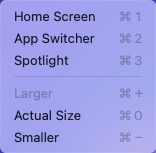
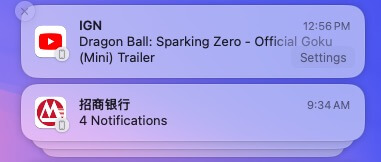
After mirroring, message notifications will sync to the Mac’s notification center, allowing you to click directly to wake up iPhone Mirroring.
Current Drawbacks
- Incompatible with older Mac devices.
- You are limited to the M-series Macs only.
- It only supports one iPhone mirror at a time, so multi-device mirroring is impossible.
At the end
The combination of macOS and iPhone features has enhanced the Apple ecosystem’s user experience, making iPhone Mirroring a practical daily tool for M-series Mac users. Of course, as with any new feature, there are some limitations, but future updates are worth looking forward to.

