You need to configure the language to implement syntax highlighting in Monaco Editor. Here, we introduce the related operations.

Set Language
If setting the language during initialization, the operation is as follows:
monaco.create(el, {
...
language: 'sol',
      })
If setting the language dynamically:
const model = editor.getModel();
monaco.editor.setModelLanguage(model, 'json');
Built-in Language Support in Monaco
Which languages support syntax highlighting? You can confirm this in several ways.
- Retrieve in the program.
const languages = monaco.languages.getLanguages();
Note: The number of languages retrieved by this method includes custom-registered languages in the application, not limited to built-in languages only.
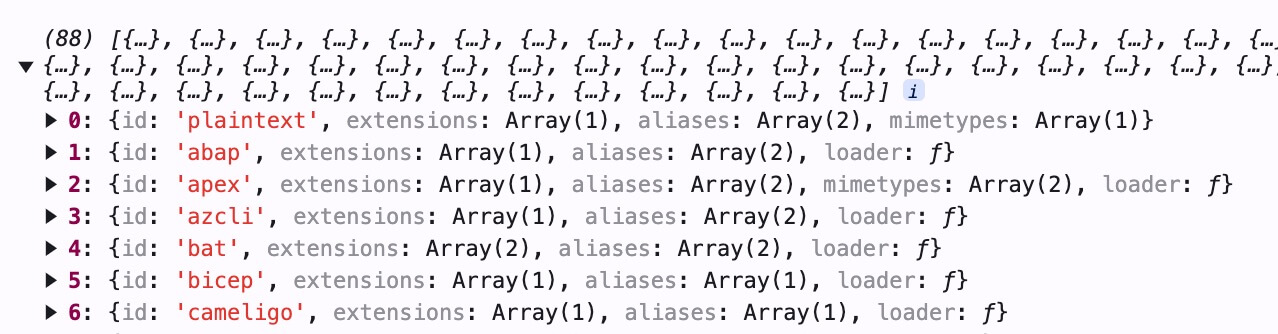
Visit https://microsoft.github.io/monaco-editor/ and check the language dropdown options directly.

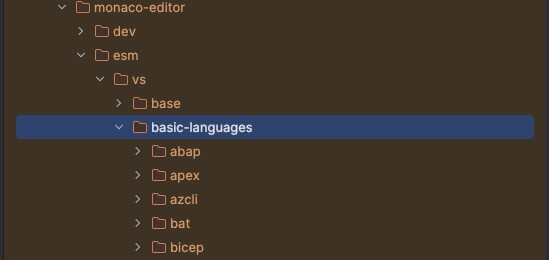
Directly visit the npm package
monaco-editor/esm/vs/basic-languages, where the built-in languages are registered.
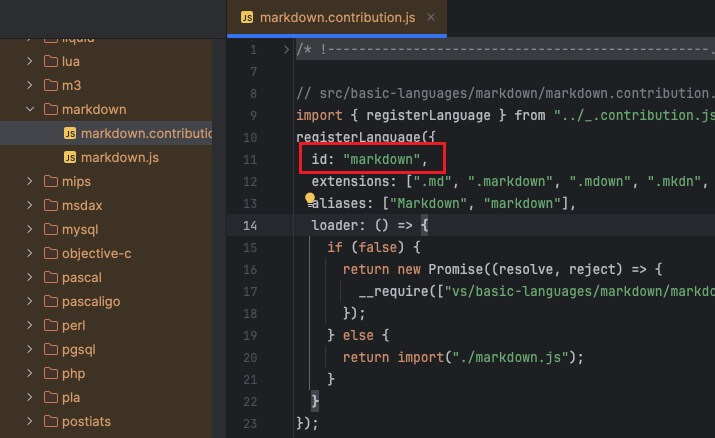
Note that each folder name does not necessarily represent the language name; the ID defines the language name.
Pack Language Files as Needed
Monaco Editor supports many languages by default. However, if you package them all, the file may be too large, so you can pack languages as needed.
- To import Monaco Editor:
# Correct method
import * as monaco from 'monaco-editor/esm/vs/editor/editor.api';

# Incorrect method
import * as monaco from 'monaco-editor';
The webpack configuration is as follows:
new MonacoWebpackPlugin({
      filename: 'monaco_[name].worker.[contenthash].js',
      languages: ['json', 'solidity', 'sql'],
    })
Note: If you find that all languages are still packaged after configuring the languages in webpack, it is usually due to an incorrect import method for Monaco.
At the end
Now, we know how to configure languages in actual projects to achieve syntax highlighting.

