I previously built a webpack loader called domain-replace-loader to replace domains in frontend JS, e.g., swapping to a new domain or a global
windowproperty, avoiding manual edits across repos. Sometimes the requirement isn’t about domains. A colleague recently asked to rename variables in code automatically. For example, renameT_PROJECTtoP_PROJECT. I updated the plugin to support automatic variable renaming.
Approach
The core is parsing code with esprima, walking tokens, and operating based on each token’s type.
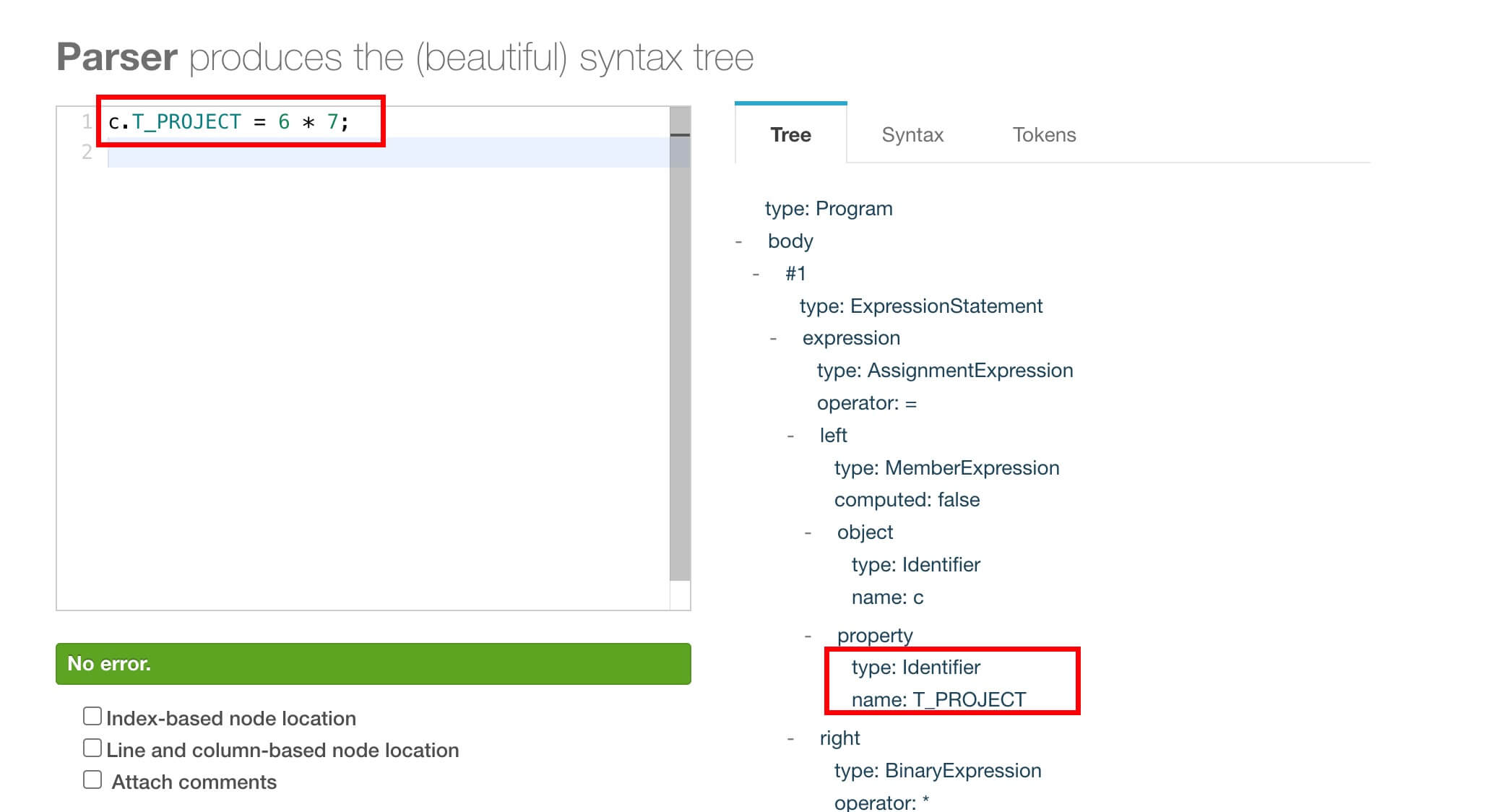
As you can see, the token type for identifiers is Identifier. So we just check whether the identifier name matches, and if it does, perform the replacement.
Be mindful of performance overhead during replacement.
Key Code
if (item.type === 'Identifier') {
      const {value} = item;
      let res = value;
      q?.forEach((obj) => {
        res = res.replace(obj.reg, `${obj.value}`);
      });
      if (value === res) return;
      source = source.replace(value, res);
    }
Final Thoughts
With auto-renaming supported, you can build other useful features—for example, keyword masking. For masking, you’d need to handle not just Identifier but also string literals.

