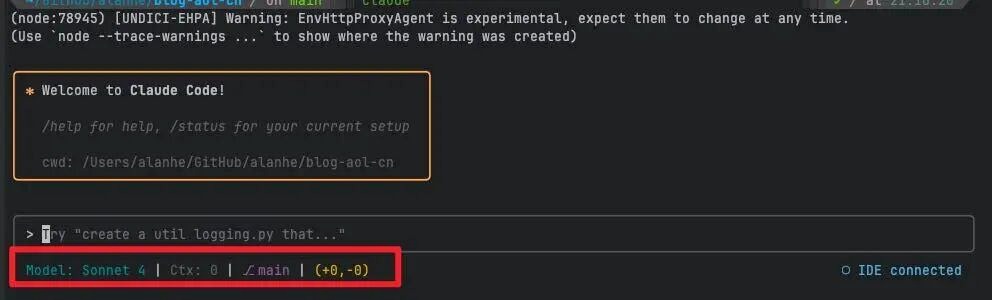
Claude Code: Install ccstatusline to Monitor Usage in Real Time

Add the following configuration to ~/.claude/settings.json to view Claude Code usage, model info, and more. If the file does not exist, create it manually.

Aug 28, 2025 · 1 min read · 56 Words · -Views -Comments · Programming
AI Tools Claude Code 🇨🇳 阅读中文版
Read with AI

Choose an AI assistant

ChatGPT Open in a new tab with the article link and prompt
Claude Copy the prompt, then open Claude

Open Claude
Trouble reading the article?

If the prompt is missing, copy the full prompt below into your AI assistant. If the AI cannot read the article, paste the visible passage you want to discuss and add your question.

Claude Code ccstatusline - Fig 1

Add the following configuration to ~/.claude/settings.json to view Claude Code usage, model info, and more. If the file does not exist, create it manually.

{
  "statusLine": {
    "type": "command",
    "command": "npx ccstatusline@latest",
    "padding": 0
  }
}

Note: running npx ccstatusline@latest in the terminal also lets you customize the status line. Follow the prompts after it starts.
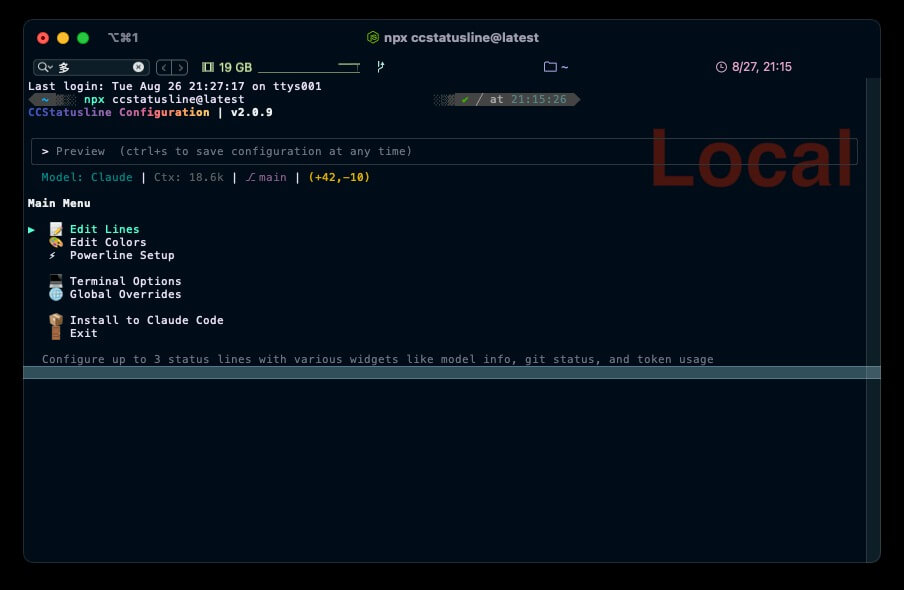

Claude Code ccstatusline - Fig 2

Authors
Developer, digital product enthusiast, tinkerer, sharer, open source lover
