Google’s Nano Banana model (integrated into Gemini) is becoming quite popular. I’ve organized some high-quality prompts here for your reference.
Overview
Nano Banana supports both Image-to-Image and Text-to-Image generation.
How to Access
- If you have a Google One AI Premium (Pro) subscription, you can use these features directly at gemini.google.com.
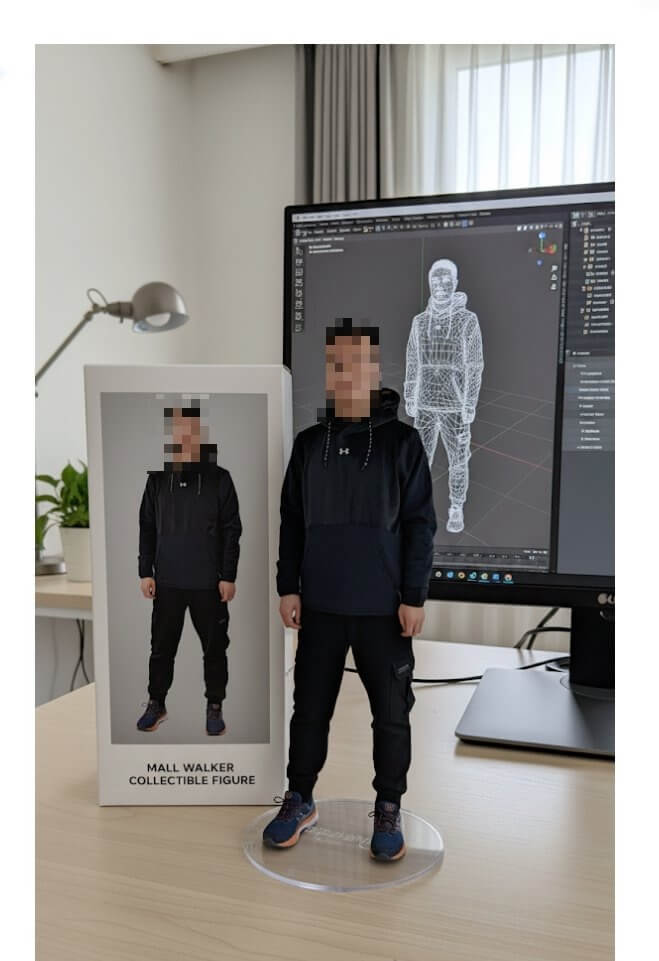
Prompt: Character Figurine (Toy/Model)
Use this prompt to turn a character or photo into a realistic-looking plastic figure:
turn this photo into a character figure. Behind it, place a box with the character's image printed on it, and a computer showing the Blender modeling process on its screen. In front of the box, add a round plastic base with the character figure standing on it. set the scene indoors if possible
Prompt: Cute Plushie/Stuffed Toy
To transform a person or character into a soft toy:
Turn this photo into a cute plushie (stuffed toy)
Prompt: Anime/Cosplay Style
To generate a real-life version of an illustration:
Generate a photo of a girl cosplaying this illustration
(English prompts often yield more accurate results with this model.)

