Codex is OpenAI’s coding tool and also provides a CLI. Because I subscribe to ChatGPT Plus, I can also use Codex. Here is a quick guide to using it.
Prerequisites
You need working network access so it functions normally. For example, the terminal must be able to reach OpenAI services.
Codex paid usage
Claude Code is paid, with two ways to use it:
- You need an OpenAI account and a ChatGPT Plus subscription.
- GPT costs USD $20/month. There are still some lower-price regions, but they may be canceled soon. I currently subscribe via the Turkey App Store at around RMB 100/month.
- Use an OpenAI API key and pay per usage.
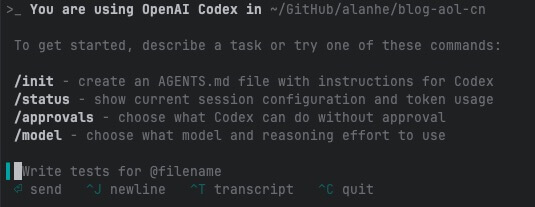
Usage
Install codex-cli
npm i -g @openai/codex
Sign in
codex
Follow the prompts to choose a login type and sign in. After a successful login, you can use it normally.
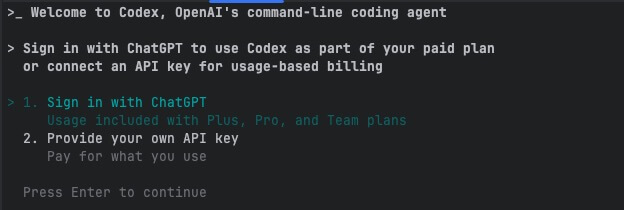
Permissions
Codex, like cc, will ask for approval on sensitive operations such as scp and rm. If you want to skip these prompts, add this flag when you start the command. Then it will not ask again during the session.
codex --dangerously-bypass-approvals-and-sandbox
Usage limits
Codex and cc both have usage limits.
Local tasks: regular users can send 30 to 150 messages every 5 hours, with a weekly cap. Cloud tasks: temporarily enjoy looser usage limits. Best for: developers who need a few focused programming sessions each week.
For details, see the official docs
Check usage
After installing the Codex extension in VS Code, you can view usage.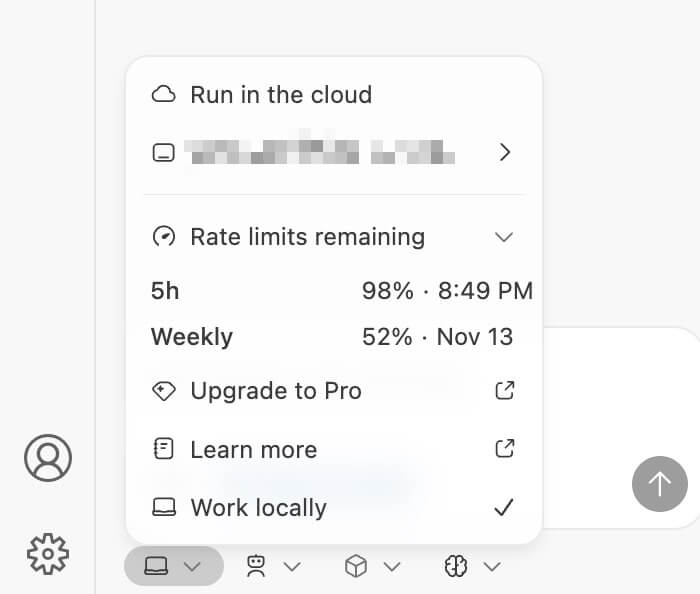
Initial impressions
- It is much slower than Claude in terms of speed.
- Auto-execution feels better than Claude’s Sonnet model.
- Missing features: executing shell commands and automatic CLI upgrades. Both are must-haves for me.
- Code generation is still uncertain; I need more use before drawing conclusions.
Final Thoughts
- If you already subscribe to GPT Plus, give it a try so you do not waste the benefit.
- For general AI CLI users, cc or Codex is a matter of preference. One is enough.


