After migrating my blog from Hexo to Hugo, I settled on the Hugo Blox (formerly Wowchemy) theme framework. After six months of use, I’m quite happy with it. Here are some tips and insights from my experience.
Upgrading Hugo Blox
It’s a good practice to check for updates every few months. This prevents your project from falling too far behind the upstream repository, simplifying future maintenance.
To update the module:
hugo mod get -u
Note: This command updates the blog template framework modules, not Hugo itself. To update the Hugo binary, use your system’s package manager (e.g., brew upgrade hugo on macOS).
Recommended Service Integrations
Hugo Blox comes with many features, but I’ve found that adding a few external services enhances the experience. These typically require a bit of custom code:
- Comments: Waline (a great self-hosted option).
- Analytics: 51.la (or any other lightweight tracking script).
Customization: Adding Your Own Code
- Hooks: Hugo Blox provides hooks that allow you to inject custom HTML into specific parts of the page without modifying the core theme. Create code snippets in the appropriate directory (e.g.,
layouts/partials/hooks/). Multiple files will be executed in alphabetical order. Refer to the official documentation for the list of available hooks.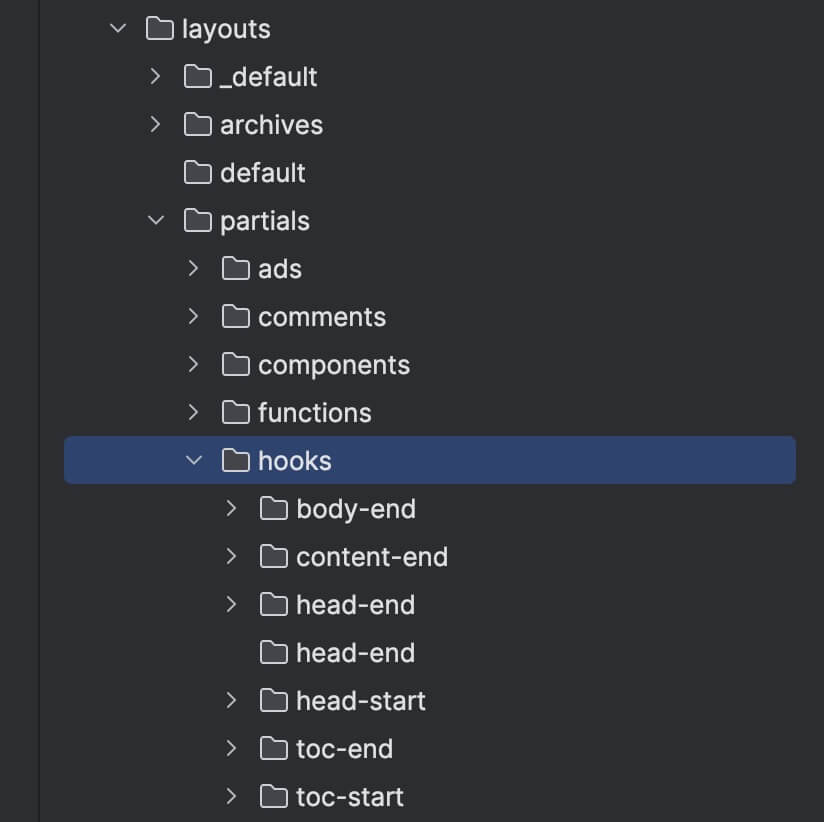
- New Layouts: You can add entirely new layouts under the
layouts/directory. - Overriding Defaults: To modify an existing layout, copy the file from the vendor directory (e.g.,
_vendor/github.com/HugoBlox/hugo-blox-builder/modules/blox-tailwind/layouts/_default/single.html) to your project’slayouts/directory (e.g.,layouts/_default/single.html) and edit it there. Hugo will prioritize your local version over the vendor version.
Final Thoughts
Have fun building your site!


