While reviewing my annual app subscription costs recently, I found they had gotten way too high. One of the biggest expenses was Claude Pro at $20/month (~¥140 CNY), roughly ¥1,800/year. To cut costs, I switched to the Nigeria region subscription — now about ¥88 CNY/month, saving nearly half. Here’s how I did it.
Why Choose the Nigeria Region
- I already use Turkey region for some services like YouTube Premium and GPT Plus. However, Claude’s Turkey pricing is barely cheaper than the US price, so there’s no real advantage. That’s why I went with Nigeria instead.
- If money isn’t a concern or your company covers it, there’s no need to bother — just go with the US region.
- As shown in the screenshot below, Nigeria is significantly cheaper than the US. For Max, the US price is $200 while Nigeria is $144.6 — a big difference. The gap is even more pronounced for the Pro tier.

Prerequisites
- A Nigerian Apple ID account. I registered a new one. If creating a Nigerian account directly keeps failing, you can start with another region (e.g., China) and switch the country later in account settings.
- A Nigerian payment method is ideal but not required. If you don’t have one, you can buy Nigerian iTunes gift cards on Xianyu (Idle Fish). For example, I recently bought one for ¥88 CNY, worth 15,000 Naira.
Nigerian iTunes Gift Card
~14,900–15,000 NGN · Sourced from Xianyu · Delivered within 24 hrs · Slightly above Xianyu price to cover purchasing assistance & transaction fees
USD $--/card
⚠️ Loading...
Quantity
1
Total: $--After payment, the gift card code will be sent to your email within 24 hours.
Subscription Steps
- Open the App Store and sign in with your Nigerian Apple ID.
- Tap your profile icon in the top right, select Add Funds, then choose Redeem Gift Card or Code and enter the gift card code you purchased.
- Open the Claude app, sign in to your account, and go to the subscription page.
- Select the monthly plan and complete the payment as prompted.
- If you only want one month, remember to cancel the auto-renewal after subscribing.
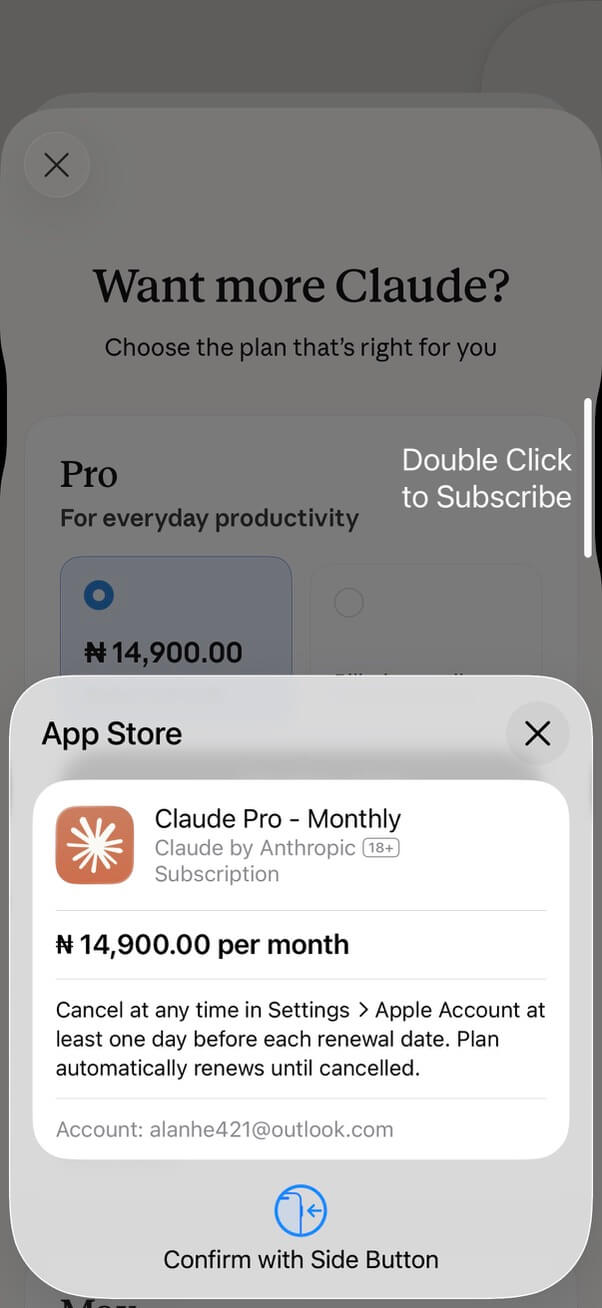
Note: To subscribe via a different region, you must sign into the Nigerian Apple ID on an iPhone or iPad. This cannot be done on non-iOS devices such as Android.
Final Notes
- Claude Pro subscribed through a low-price region has exactly the same features as the US or any other region — no differences at all.
- Having a Nigerian and Turkish Apple ID on hand is always useful. I recommend setting them up in advance.
- Xianyu (Idle Fish) is great for buying small things like this. If you don’t want to deal with the hassle yourself, it’s a convenient solution — it solved my Nigeria payment problem here.
- For a full list of services I’m currently subscribed to, check out My App Subscription List.


