With the growing adoption of AI “Skills” as a standard for extending AI capabilities, I decided to create a specialized Skill for WeChat Mini Program documentation. This allows Claude to accurately reference official docs while assisting with development.
Scrapping WeChat Mini Program Documentation
I used Web Scraper, a free Chrome extension, to gather the data.
- Configure the sitemap to navigate through the official documentation.
- Select the specific content elements (API descriptions, components, etc.) to scrape.
- Start the scraping process. The extension will open a new window to crawl the site. Due to the large volume of data, this may take some time.
- Once completed, export the data as a CSV file.
Creating Skills in Claude Code
Claude Code provides built-in tools for creating Skills. When you create a Skill, it results in a .skill file, which is essentially a ZIP archive. You can find these in the ~/.claude/skills directory.
Adding Official Skills
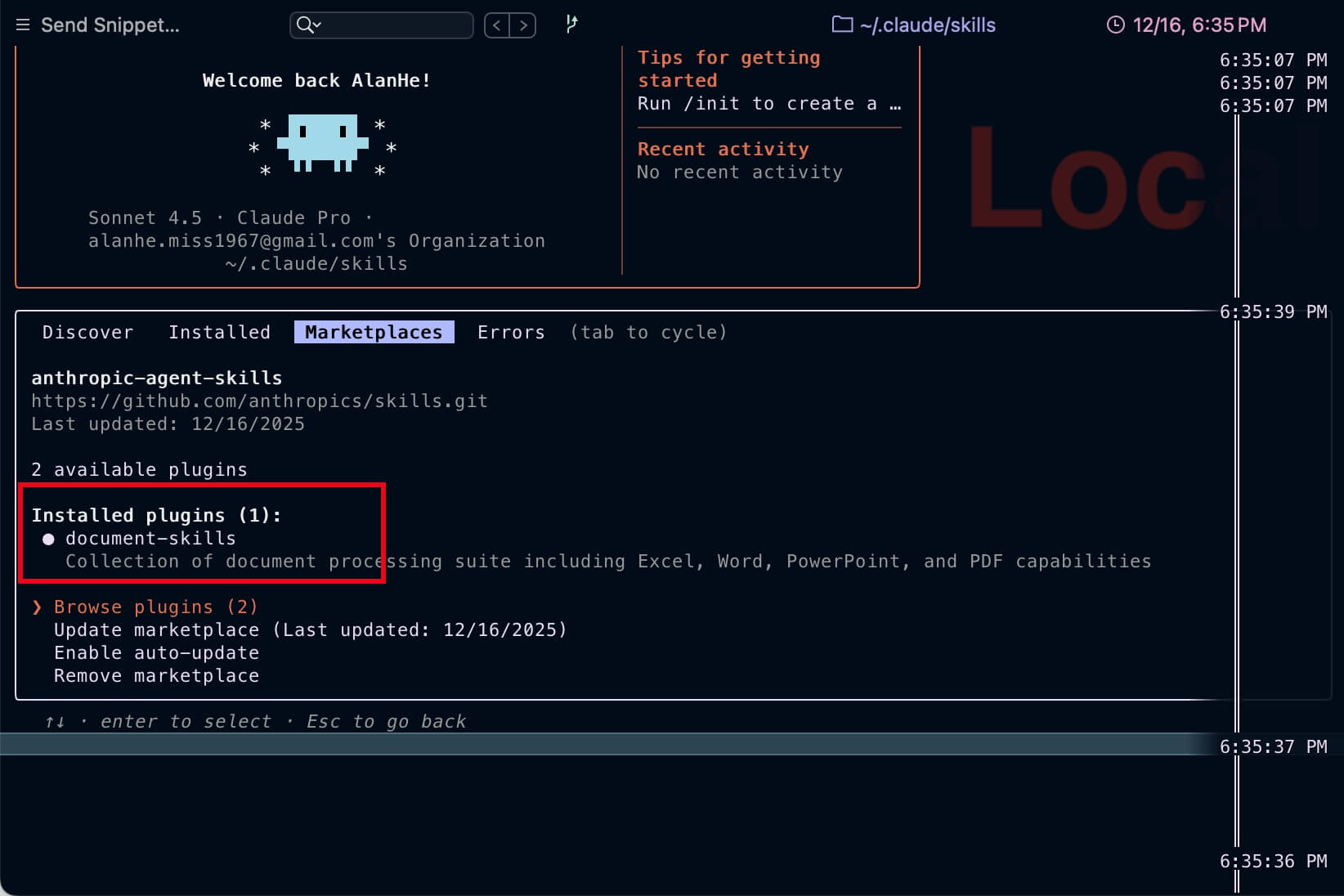
You can reference and add official skills from the Anthropic repository: https://github.com/anthropics/skills.git
Building the WeChat Mini Program Skill
I used the scraped data to feed into a new Skill definition.

Currently, Claude Code doesn’t have a UI to list installed Skills; you must use the command line to verify them.
Usage
Once installed, you can simply ask questions related to the document in Claude Code:
“How do I get the user’s avatar in a WeChat Mini Program?”
Claude will automatically trigger the WeChat Mini Program documentation Skill, search the indexed content, and return accurate results. You will see a notification in the terminal when a Skill is being invoked.
Final Thoughts
So far, the results are promising. However, I’ll need to monitor token usage over the long term to see how cost-effective this approach is. Done!


